5 Data Visual Design
Above all else show the data.
Edward Tufte (a pioneer in data visualization, professor at Yale)
5.1 A Framework for Visualization
The framework of Tamara Munzner, a computer scientist at the University of British Columbia, breaks the design of a visualization into a sequence of questions (Munzner 2014):
- Actions of data visualization \(\rightarrow\) users’ actions toward visualization
- Target of data visualization \(\rightarrow\) which part of the data users focus on
- The choice of visualization idioms \(\rightarrow\) which form best presents it
- Marks and channels \(\rightarrow\) how to encode them visually
- Expressiveness vs effectiveness \(\rightarrow\) key standards for good visualization
- Elements of a single graph \(\rightarrow\) components in a graph
- User experience and organization \(\rightarrow\) how people will use and understand the visualization
- Graphic interaction \(\rightarrow\) how people can interact with the visualization
It represents a thinking flow: from understanding the goal of visualization, to selecting the right form, to ensuring clarity, usability, and interaction.
5.1.1 A Running Example
Throughout this lecture and lab, we will use a dataset on transit agencies. Most transit agencies, including the four largest ones in the Puget Sound region, King County Metro (KCM), Sound Transit (ST), Community Transit (CT), and Pierce Transit (PT), report their yearly operations to the Federal Transit Administration’s National Transit Database (NTD). Our subset has 89 rows, one for each agency, mode, type of service, and year from 2022 to 2025.
| Attribute | Type | Example: Sound Transit, 2025 |
|---|---|---|
| Agency | Categorical | Sound Transit |
| Mode | Categorical | Light rail, commuter rail, commuter bus, … |
| Type of service | Categorical | Run by the agency, or by a contractor |
| Year | Ordinal | 2025 |
| Fare revenue | Quantitative | $74.6 million |
| Operating expenses | Quantitative | $704.7 million |
| Unlinked passenger trips | Quantitative | 50.9 million boardings |
| Vehicle revenue hours | Quantitative | 1.23 million hours of service |
5.2 Actions: Why Are They Looking?
Munzner describes three levels of actions for different user purposes: analyze (high level), search (middle level), and query (low level). Much of the content in the following sections comes from Munzner (2014).
Analyze (high level). From the perspective of users, why are they looking at the visualization?
- Consuming a visualization rather than producing one
- Discover: explore data
- Present: show what is already known to others (explain)
- Enjoy: casual and social
- Producing new information
- Annotate: take notes and annotate key points
- Record: record the discovery and analysis process
- Derive: derive new variables and produce new charts

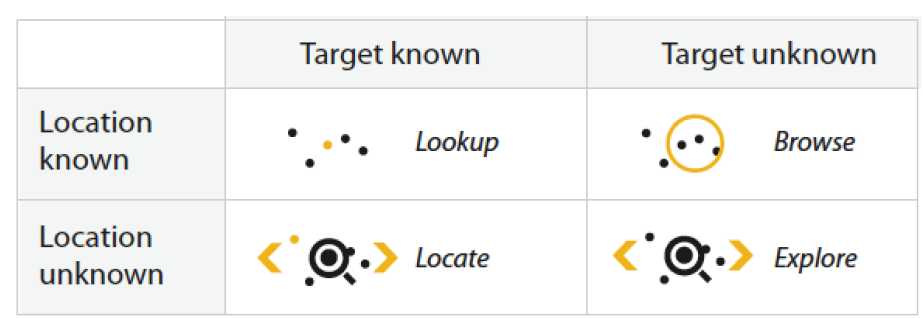
Search (middle level). Users are trying to find a known or unknown item in the visualization. Because users attempt to search for something, interaction and navigation are important to help them find the right places.
- Lookup: for example, a word in a dictionary in alphabetical order
- Locate: for example, keys in your house, or a node in a network
- Browse: for example, books in a bookstore
- Explore: for example, finding a cool neighborhood in a new city
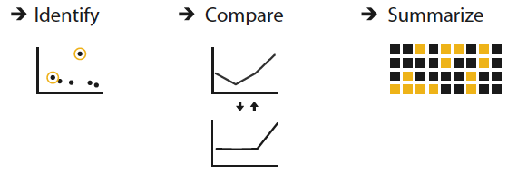
Query (low level). Users are trying to find out about the detailed characteristics of items: identify, compare, and summarize. How much of the data matters:
- One: identify
- Some: compare
- All: summarize
A task usually combines one action from each level. In the web version of these notes, picking one in each column gives an example of that task on the Puget Sound transit data.
| Analyze (high level) | Search (middle level) | Query (low level) |
|---|---|---|
| Discover: find something new | Lookup: know what and where | Identify: one item |
| Present: show what is known | Locate: know what, not where | Compare: some items |
| Enjoy: look out of curiosity | Browse: know where, not what | Summarize: all items |
| Annotate: add notes to a chart | Explore: know neither | |
| Record: save what was found | ||
| Derive: compute new attributes |
5.3 Targets: What Will Users Look At?
A target describes which part of the data users are examining, and this depends on the data type. Almost any dataset can be decomposed into three parts: the dataset as a whole (all data), its items, and its attributes.
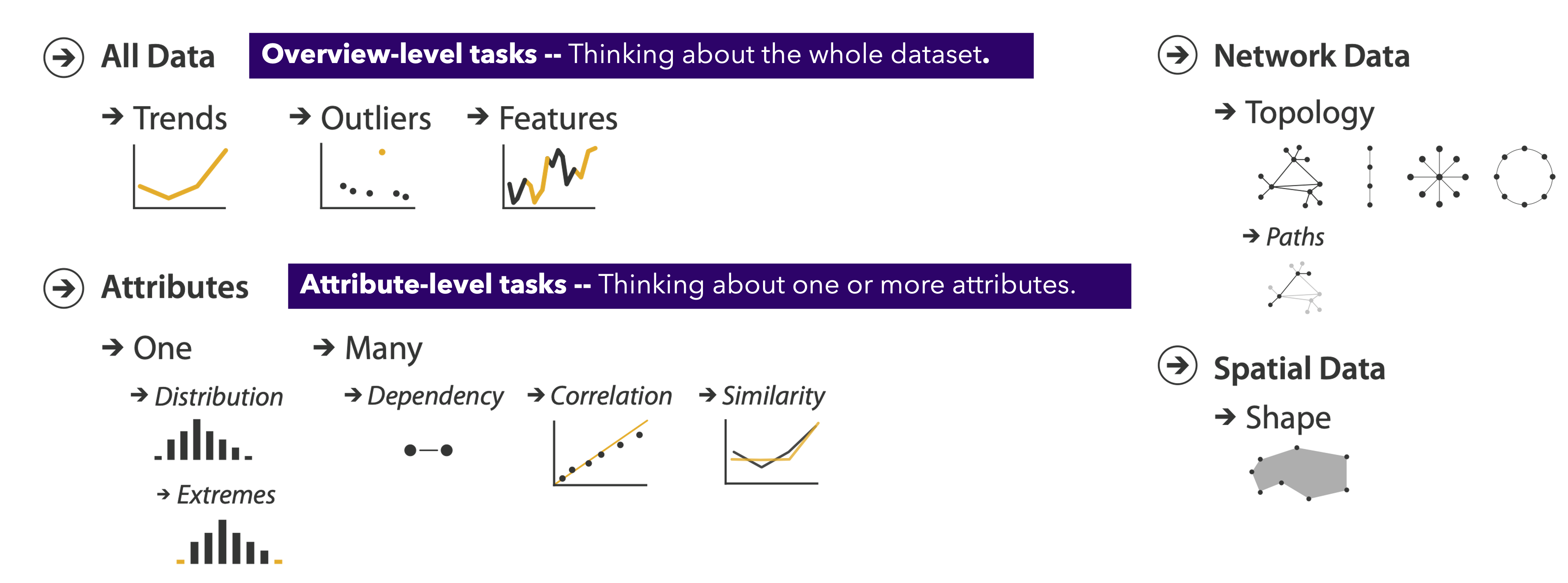
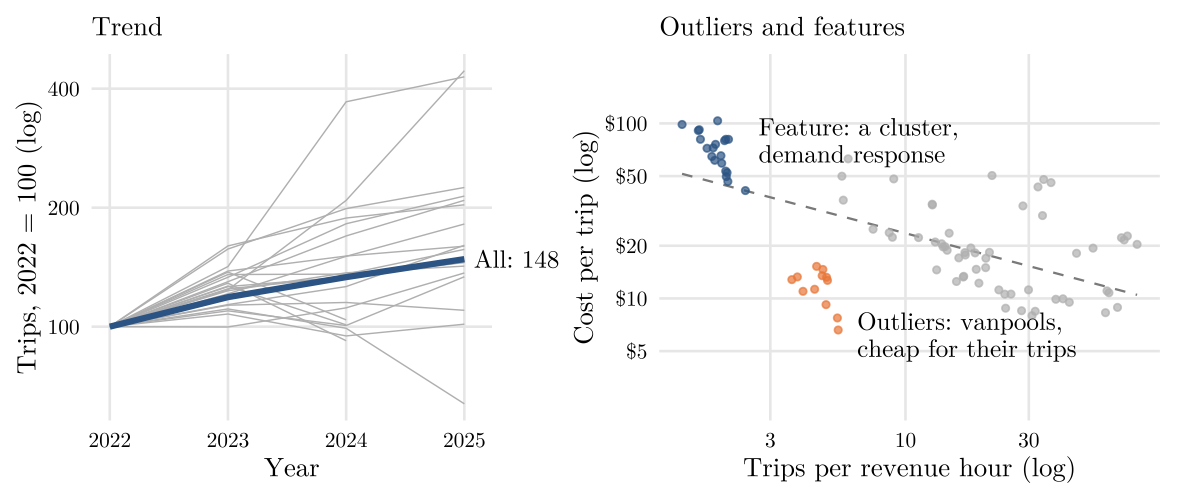
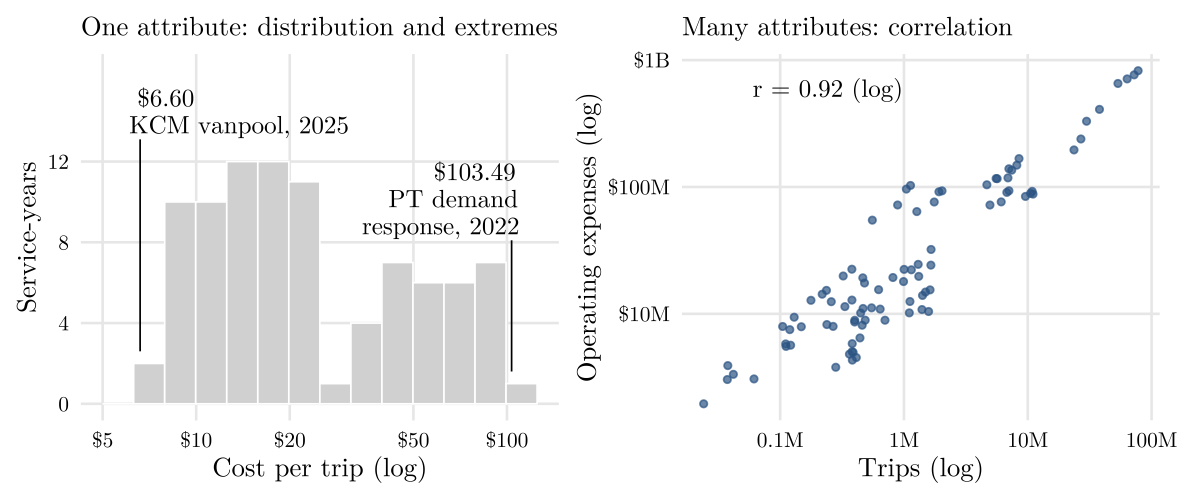
Example 5.1 Figure 5.5 looks at the transit data as a whole: a trend over the years, the points that break a pattern, and a group that stands apart. Figure 5.6 looks at its attributes, first one alone and then two together.
5.4 Idioms: How to Visualize?
The types of the variables narrow down the charts that fit; From Data to Viz offers a decision tree for choosing among them.
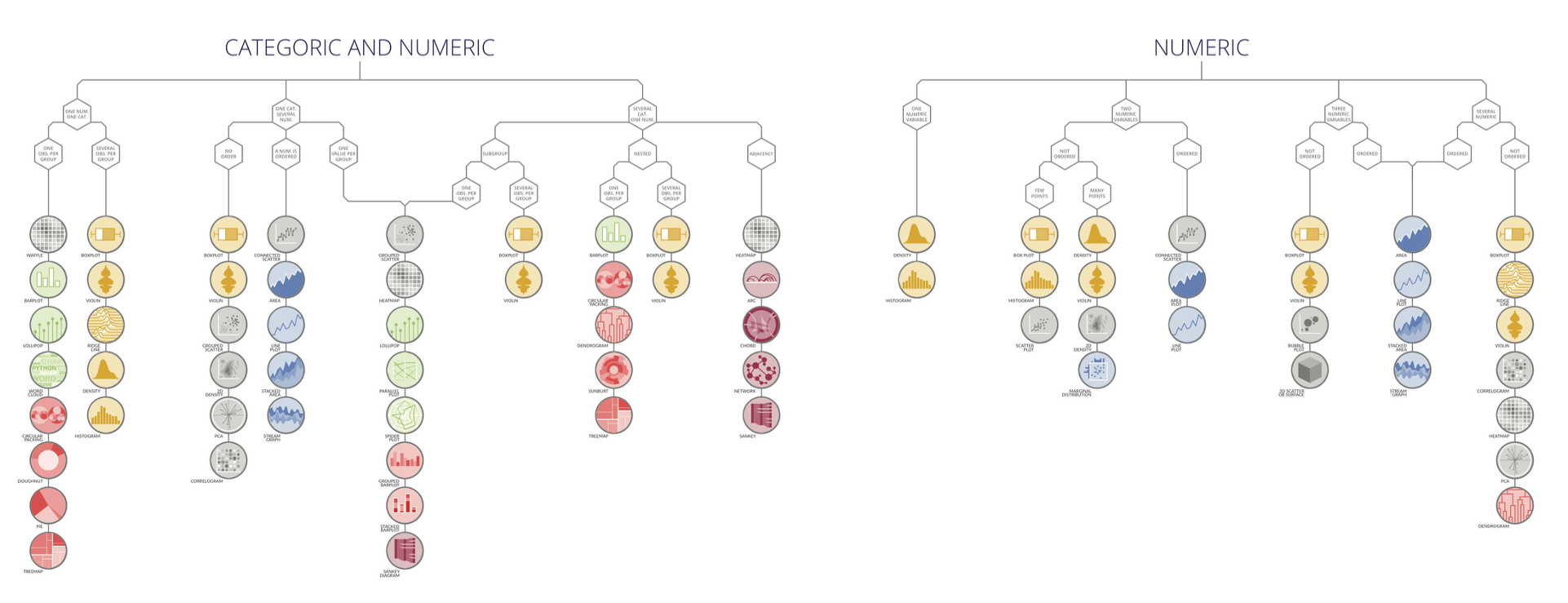
The idiom is chosen from the action and the target. Four families of idioms answer four questions:
- Encode asks how to convert data to visual elements, including positions of marks and their visual channels (more in the next section):
- How to arrange the items (express, separate, order, align)?
- How to map attributes to the other channels (size, value, texture, color, orientation, shape)?
- Facet (juxtapose, partition, superimpose): how to show multiple views, especially to compare?
- Reduce (filter, aggregate, embed): how to simplify complex data?
- Manipulate (change, select, navigate): how can users interact with the visualization?
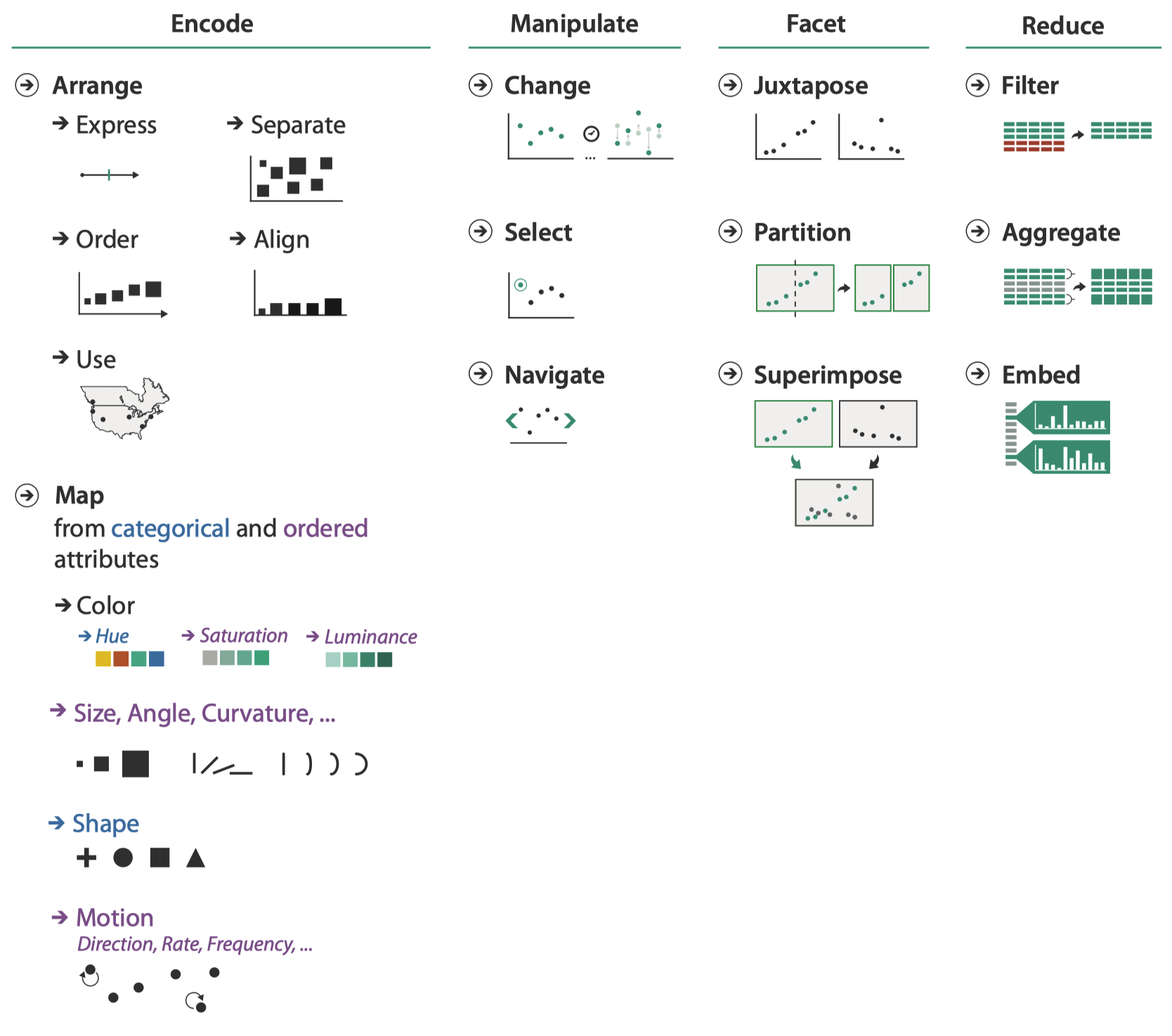
Example 5.2 The following figure puts the facet, reduce, and manipulate idioms to work on the monthly ridership of the four transit agencies, 2015 to 2025.
5.5 Marks and Channels
- Marks represent items or links.
- Channels (also called visual variables) control the appearance of marks based on attributes.
Marks as items are basic geometric elements of a chart: points (0D), lines (1D), and areas (2D). A 3D mark, volume, is rarely used.

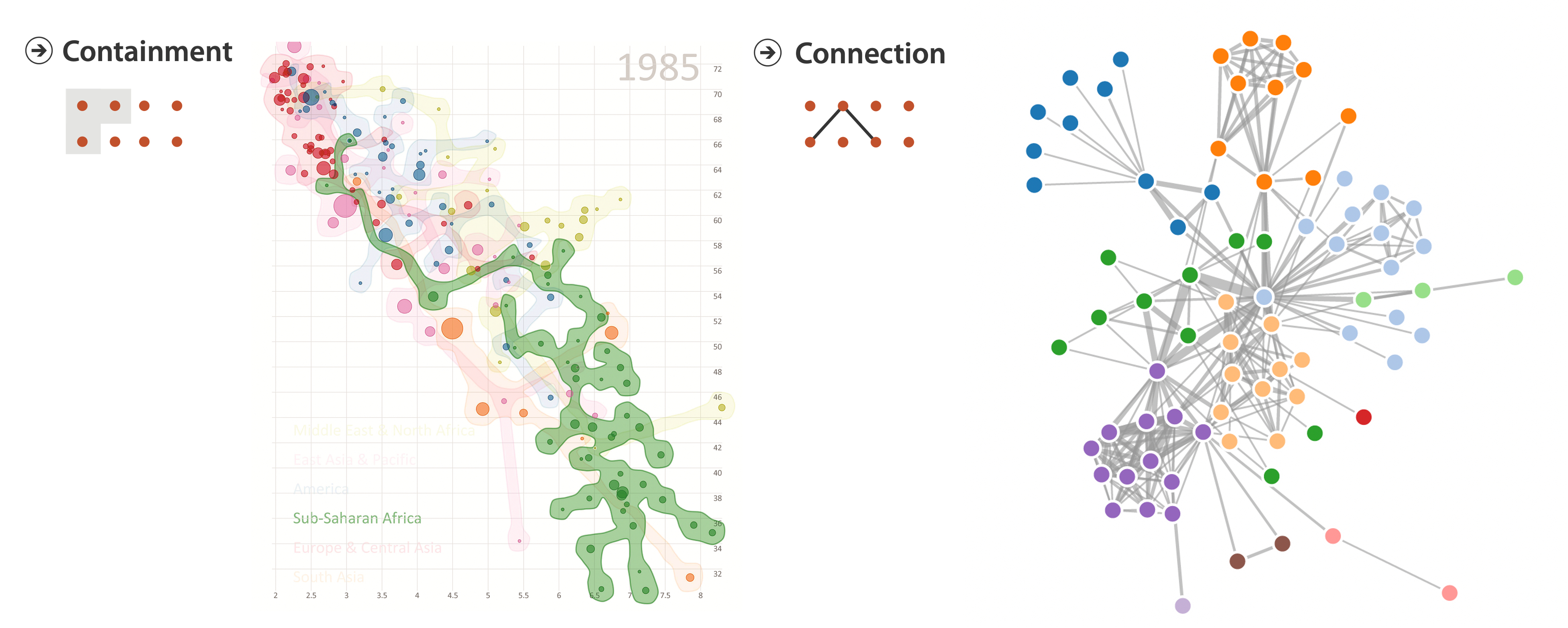
Marks as links show containment or connection:
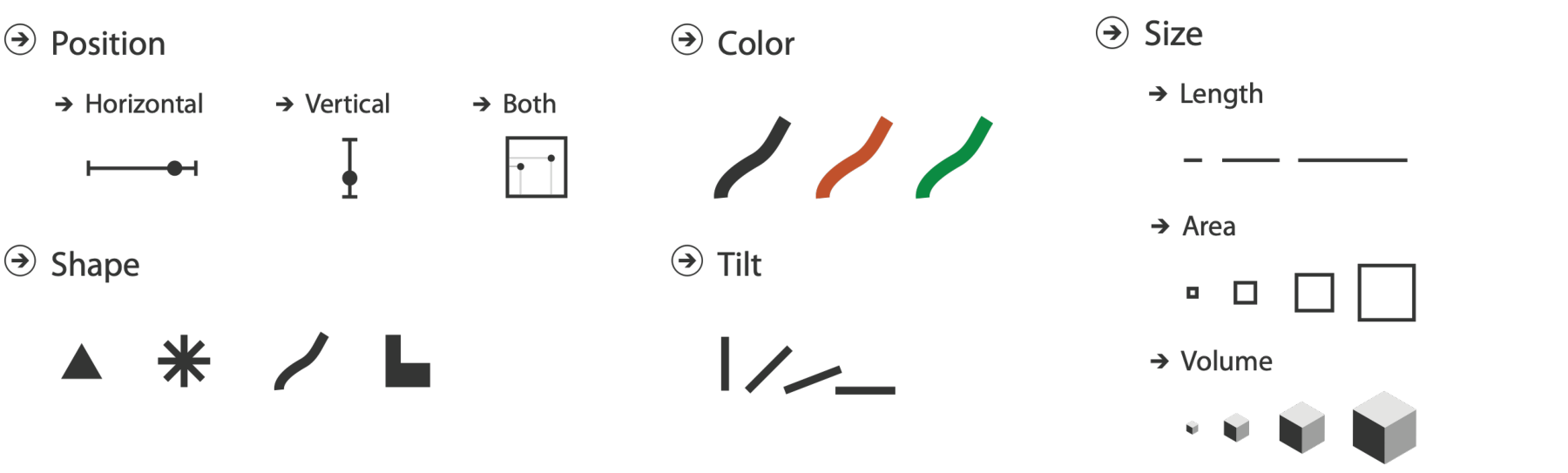
Channels include position, color, size (length, area, volume), shape, and tilt.
5.6 Expressiveness: Matching Channel to Data Type
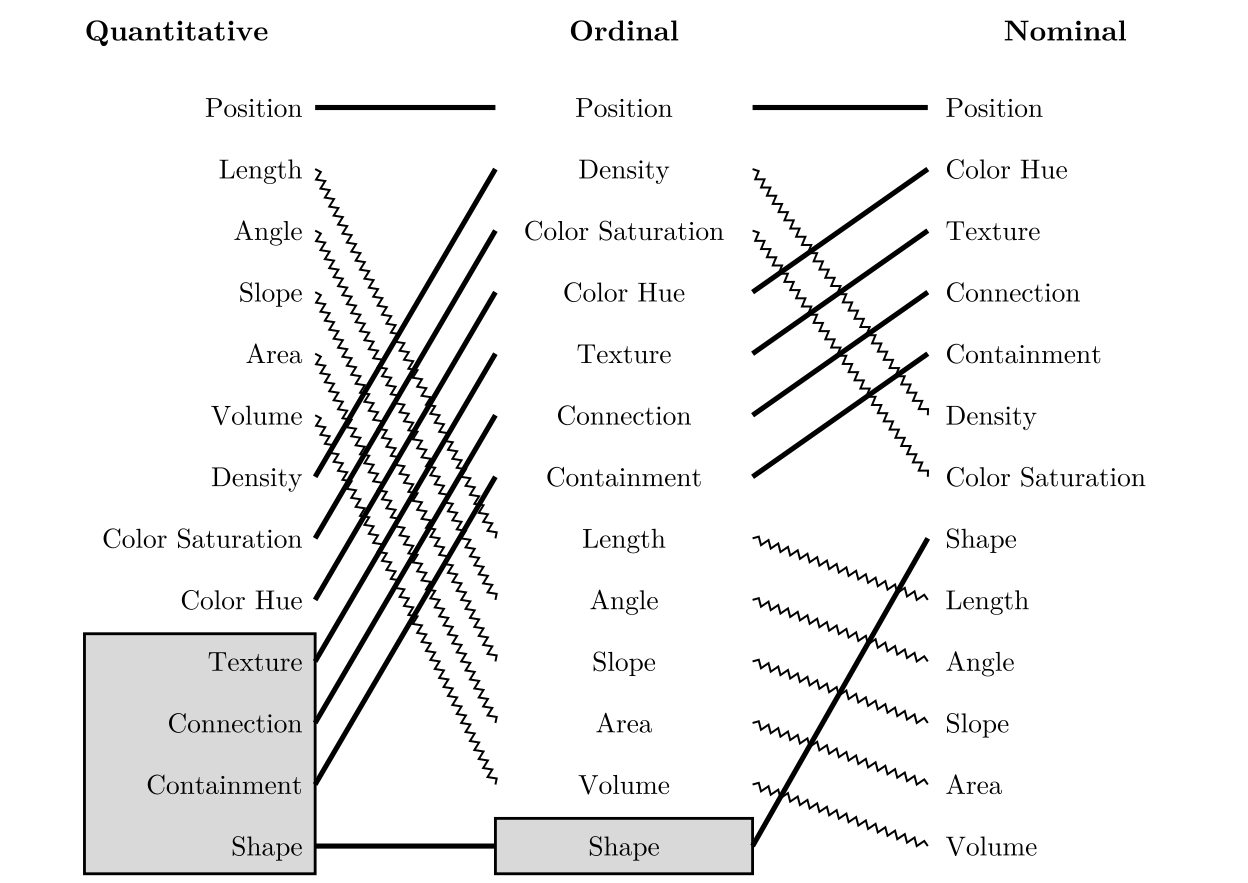
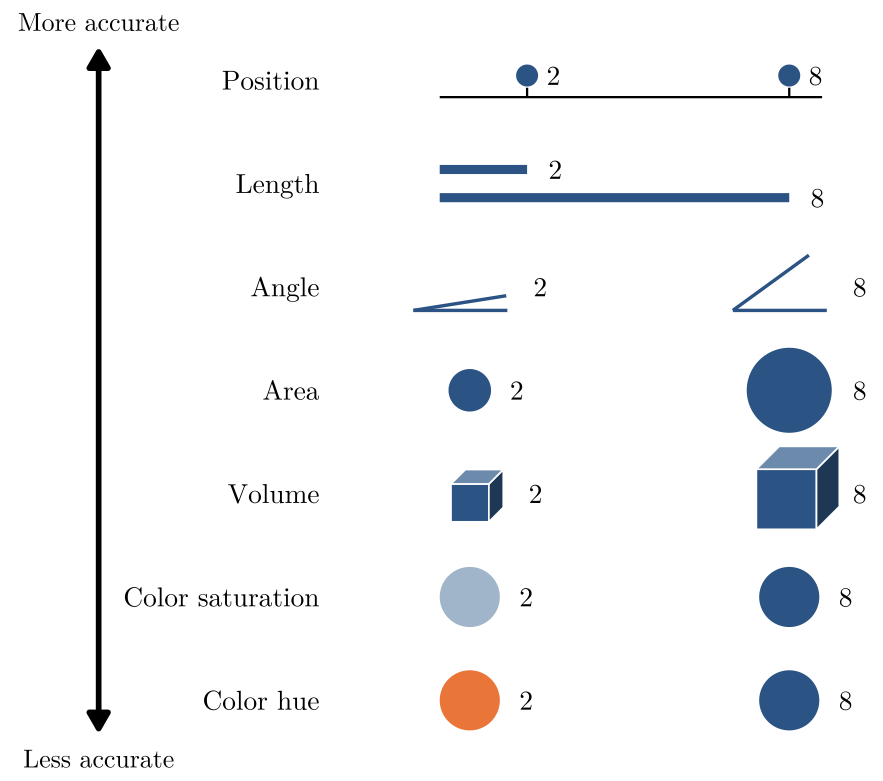
In Mackinlay’s terms, a visualization is expressive if it shows all the facts in the data, and only those facts. Channels differ in how accurately people read them, and the ranking depends on the type of data (Figure 5.13).
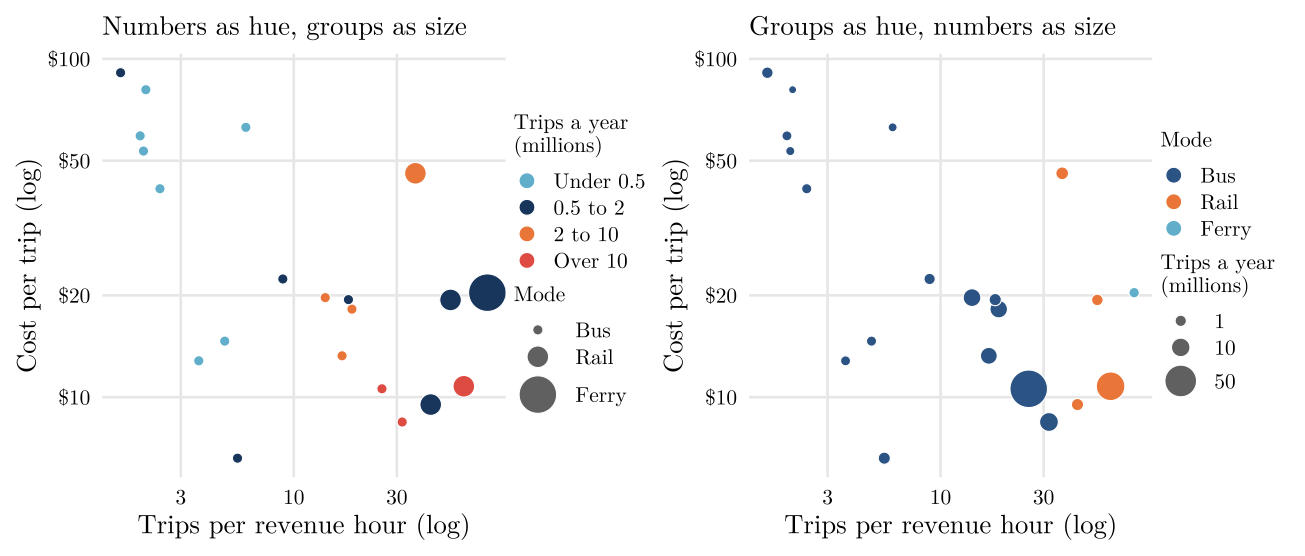
Example 5.3 Figure 5.14 adds two attributes to a scatter plot: the trips each service carried in the year, and its mode group. The two panels encode them differently.
5.7 Effectiveness: Choosing Channels by Importance
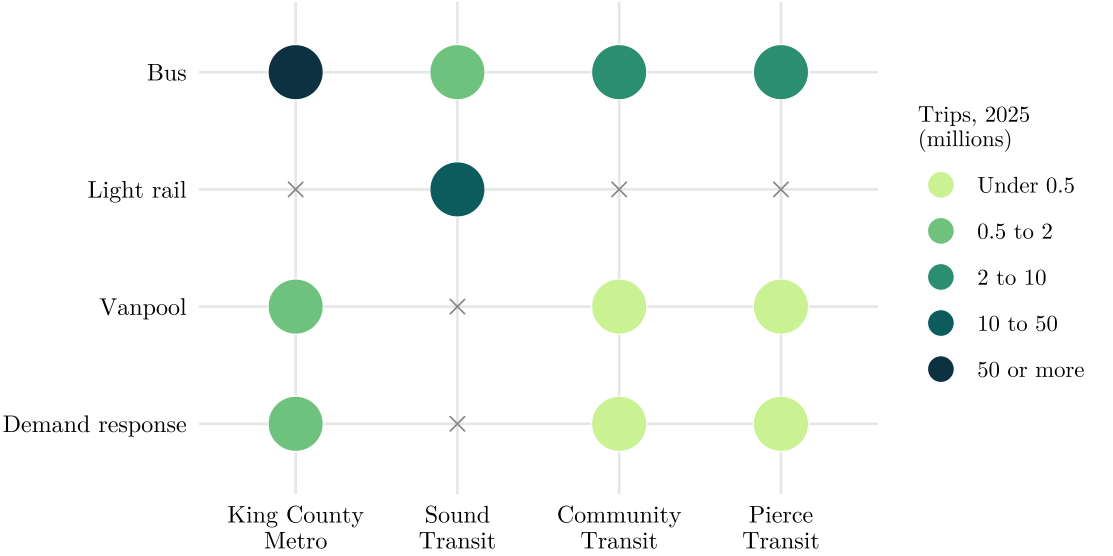
In short, effectiveness means giving the most accurate channel (at the top of the list) to the most important variable. When a weaker channel cannot be avoided, print the numbers on the marks.
Example 5.4 The figure shows where the riders are: one point for each agency and mode, its shade the number of trips in 2025. Can you still tell which variable matters most here?
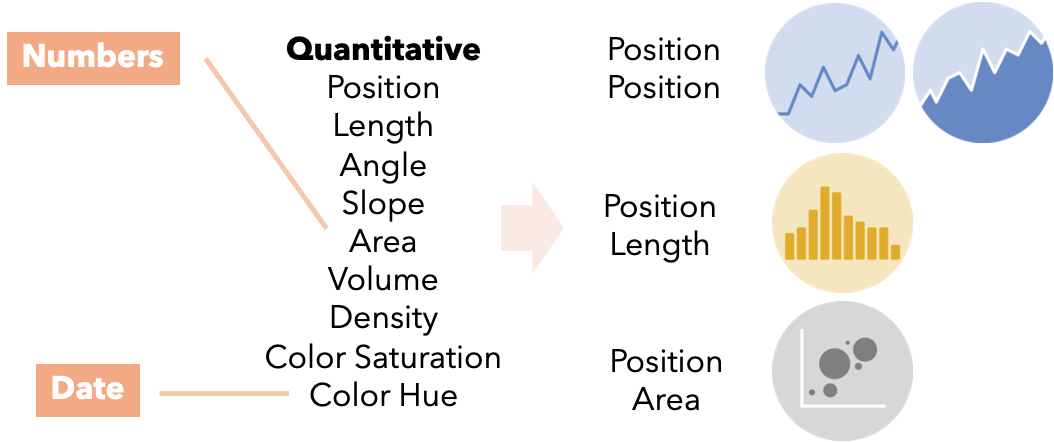
Example 5.5 They Made a Terrible Visualization: The Alabama Department of Labor charted weekly unemployment insurance claims as packed bubbles. The numbers are encoded as area and the dates as color hue, two channels near the bottom of the ranking.
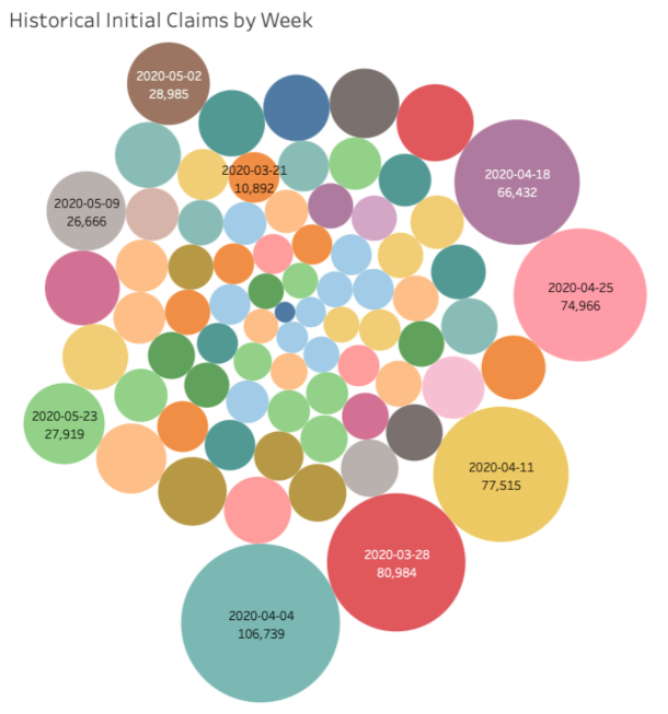
Pairing position with position (a line or area chart), position with length (a bar chart), or position with area (a bubble scatter plot) would read far better (Figure 5.18).
5.7.1 Stevens’ Psychophysical Power Law
Stevens’ psychophysical power law explains part of the ranking: the perceived sensation \(S\) grows as a power of the physical intensity \(I\), and \(S = I^{N}\). So a channel with \(N = 1\) is perceived in proportion, and one with \(N < 1\) or \(N > 1\) is under- or overestimated.
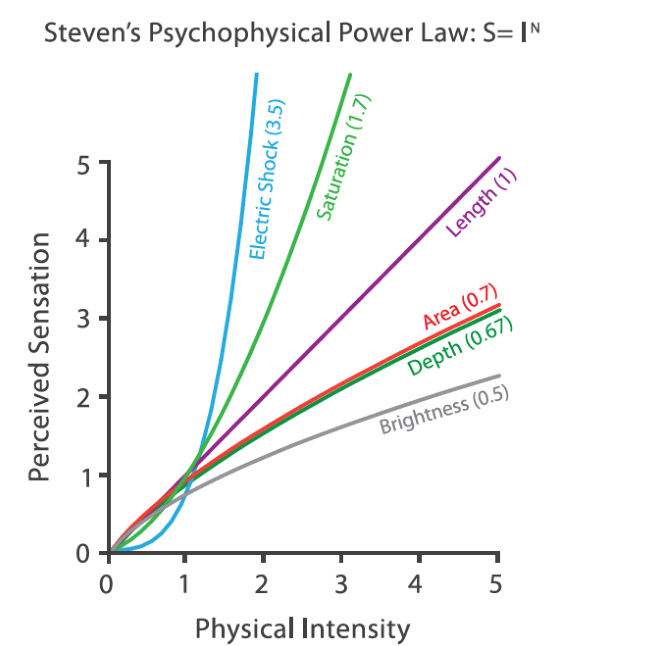
Figure 5.20 draws three values in the ratio 1 : 2 : 5 with four of these channels.
5.7.2 Color
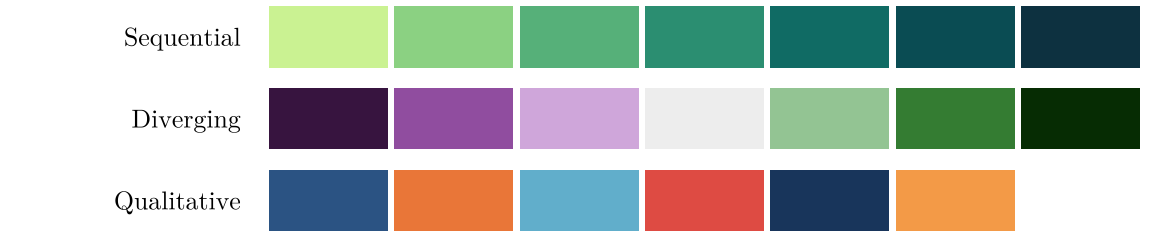
Color does three different jobs, and each needs its own kind of palette:
- A sequential palette runs from light to dark for an ordered variable from low to high.
- A diverging palette runs from one hue through a light neutral to another hue, for a variable with a meaningful midpoint, such as a change that can be negative or positive.
- A qualitative palette uses clearly different hues of similar lightness for categories with no order.
ColorBrewer, designed by Cynthia Brewer, offers tested palettes of all three kinds for maps.
5.7.3 Data-Ink Ratio
Data-ink ratio = data ink / total ink used in the graphic
= the proportion of a graphic’s ink devoted to the non-redundant display of data
= 1.0 - the proportion of the graphic that can be erased.
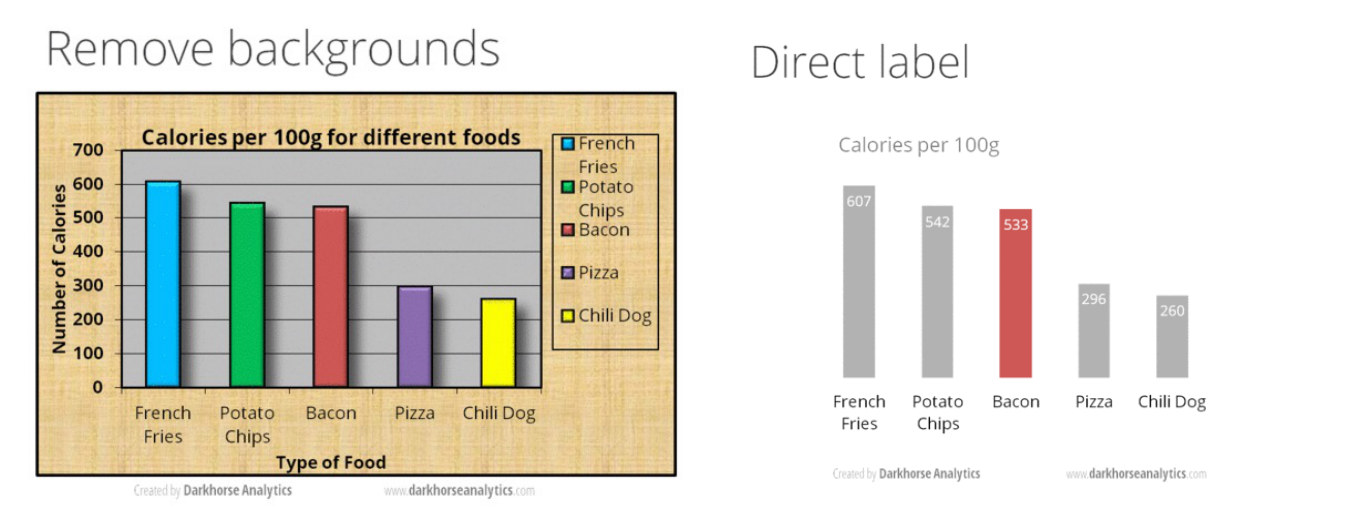
Chartjunk is not always harmful. In some cases, it may even increase the memorability and engagement of a visualization.
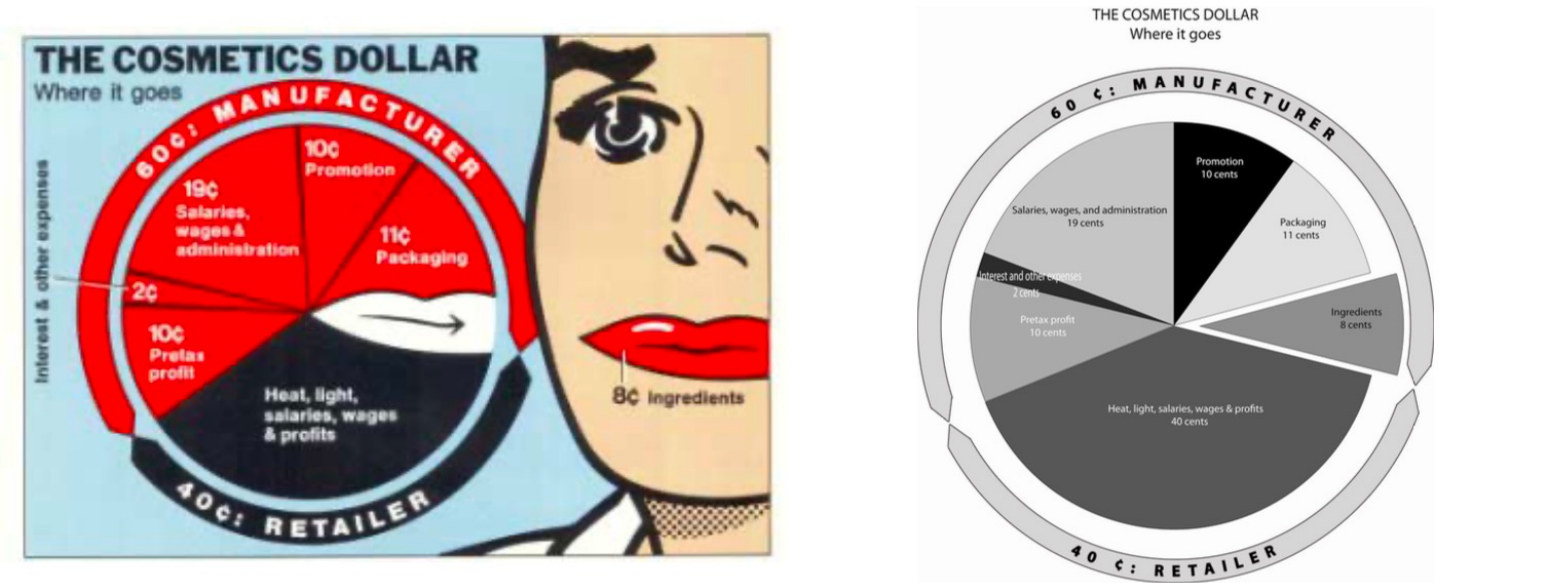
Less is more: Tufte’s rule is to erase ink that shows nothing: heavy grid lines, frames, shadows, three-dimensional effects, and legends that could be direct labels.
5.8 Elements of a Single Graph
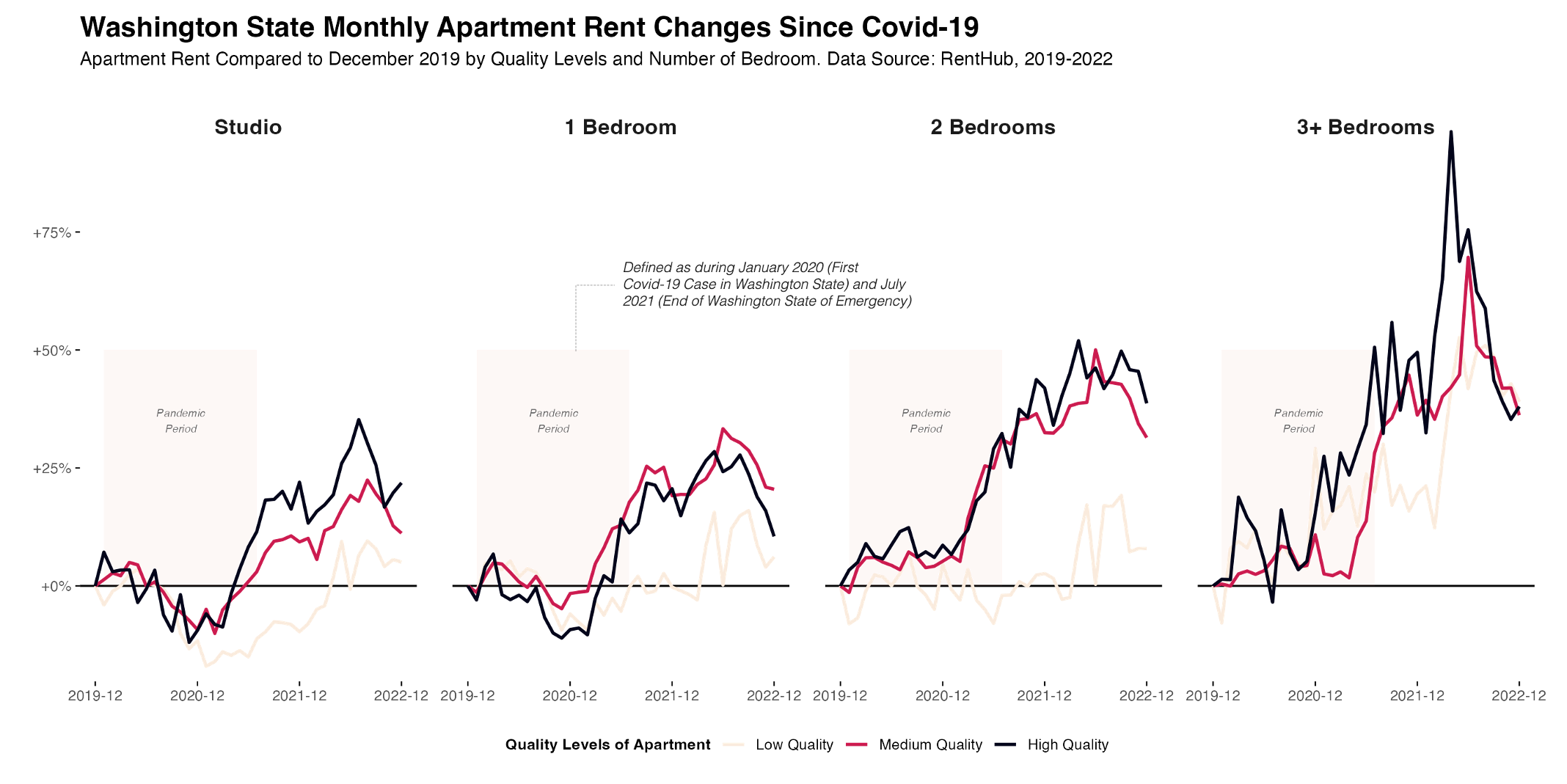
A single graph should have a title, a subtitle, encodings, annotations, axes, and a legend. A map should also include a scale bar, a north arrow, and its projection or coordinate system.
5.9 User Experience and Organization
5.9.1 User Experience
What motivates us at a deep level are the things that satisfy basic psychological needs:
- Autonomy: structure beats no structure; make it easy to navigate.
- Relatedness: no need to be too creative; keep content relevant to the audience.
- Competence: select information and use guidance to make the visualization intuitive and easy to understand. It is not an IQ test!
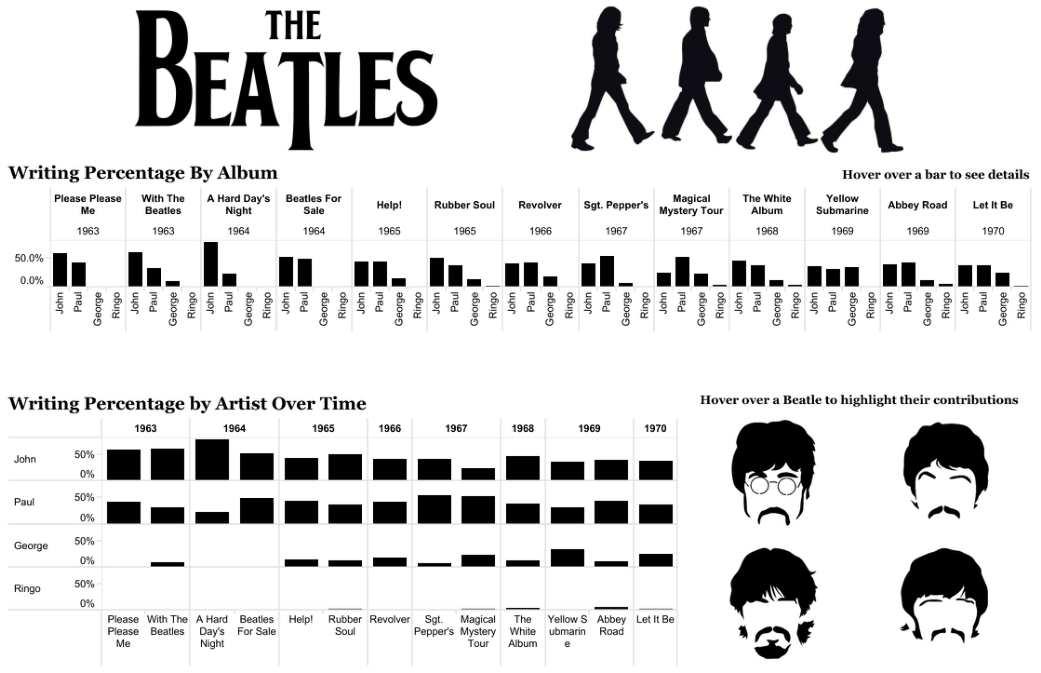
5.9.2 Unity
Unity is the application of methods that ensure that elements in the design (color, font, shape) appear to “go together” (Figure 5.26).
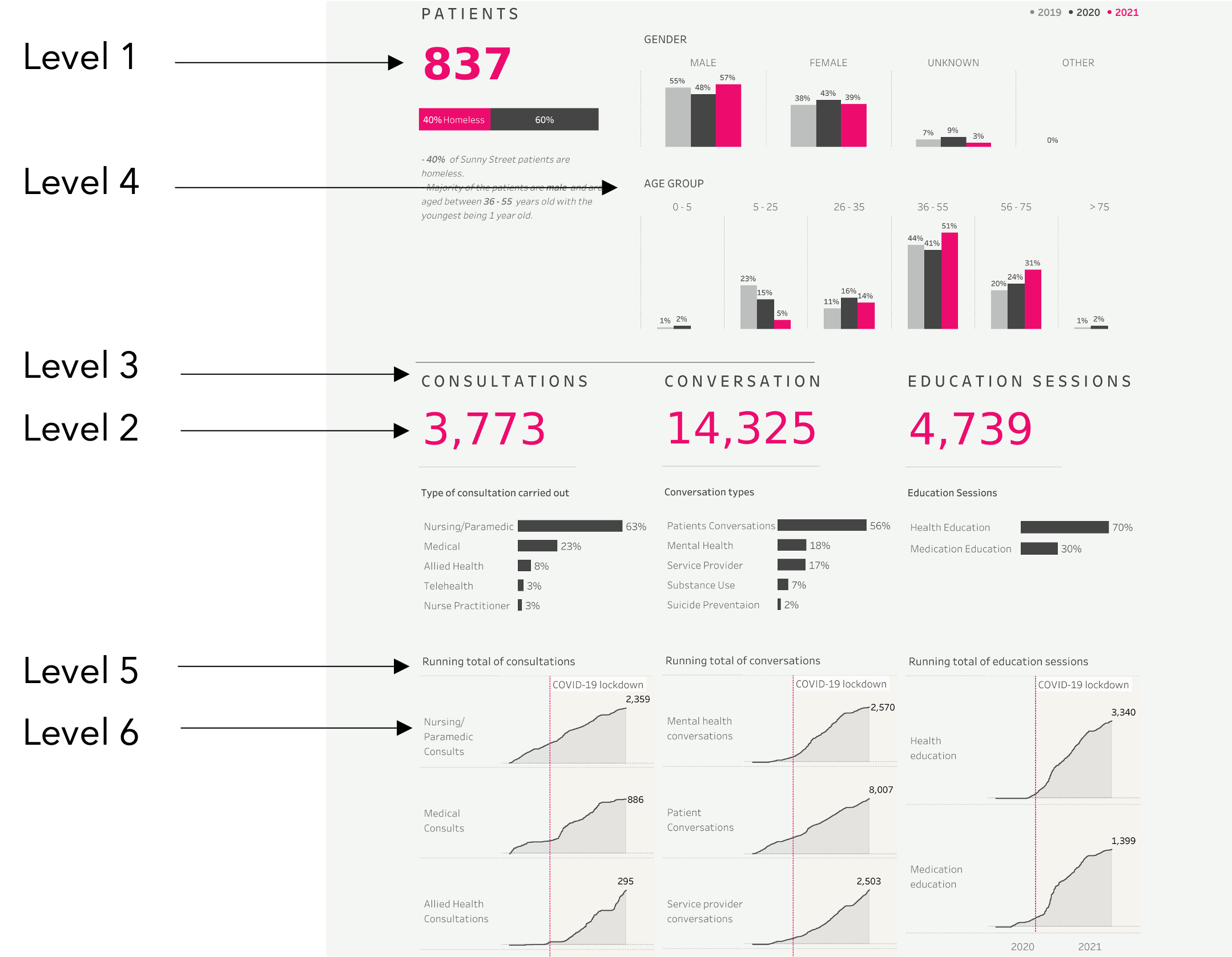
5.9.3 Hierarchy
Hierarchy is the application of design methods to indicate importance and “flow” within the visual, through size and placement.
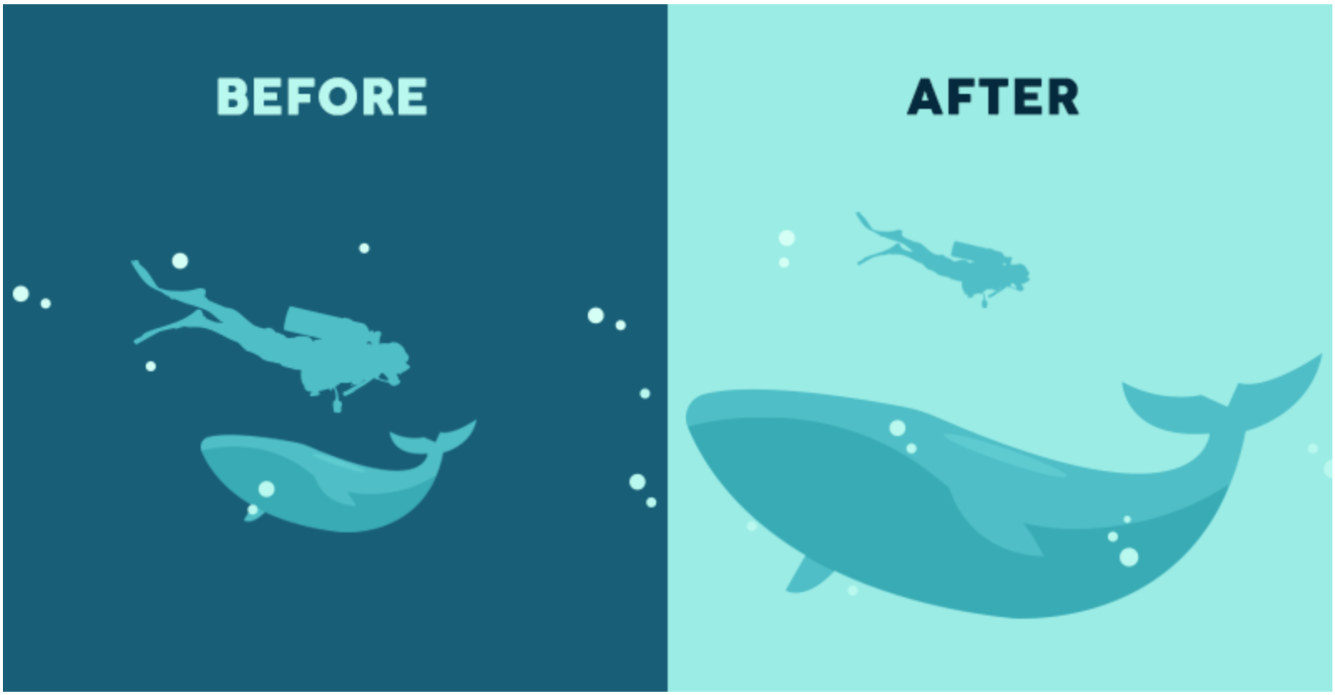
5.9.4 Size
The larger element is read first.
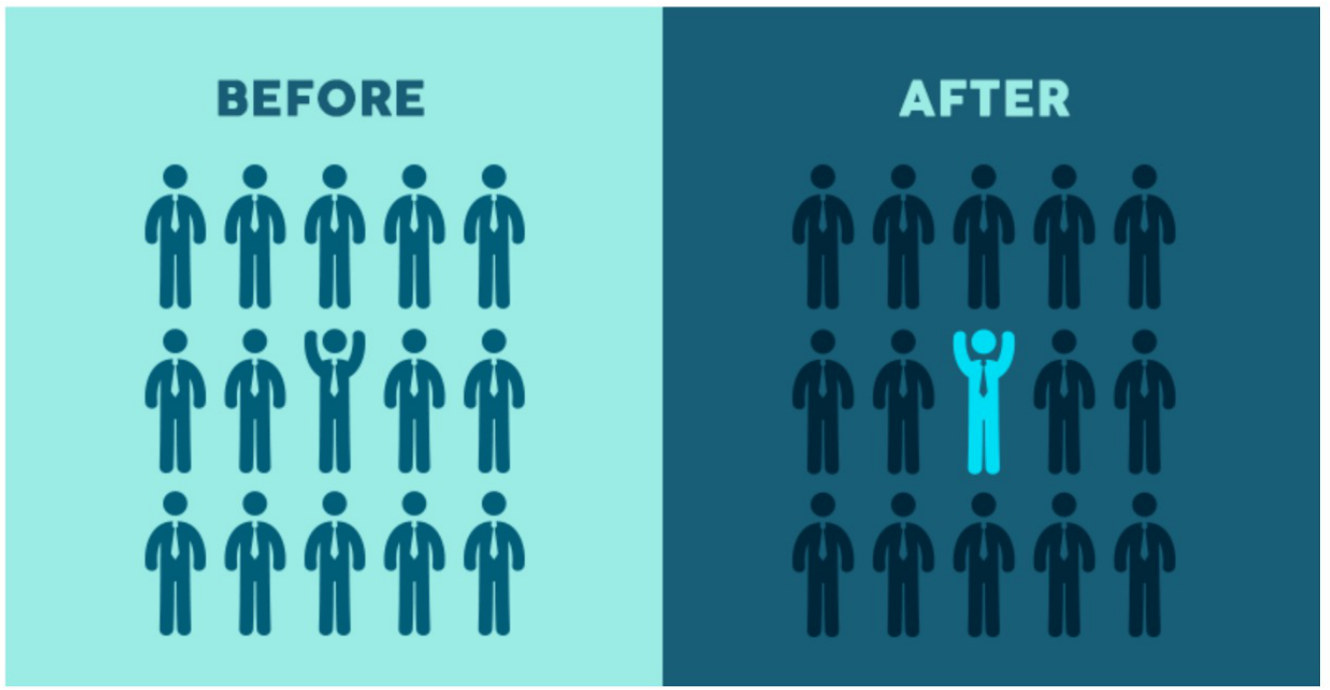
5.9.5 Color Contrast
A contrasting color picks one element out of many.
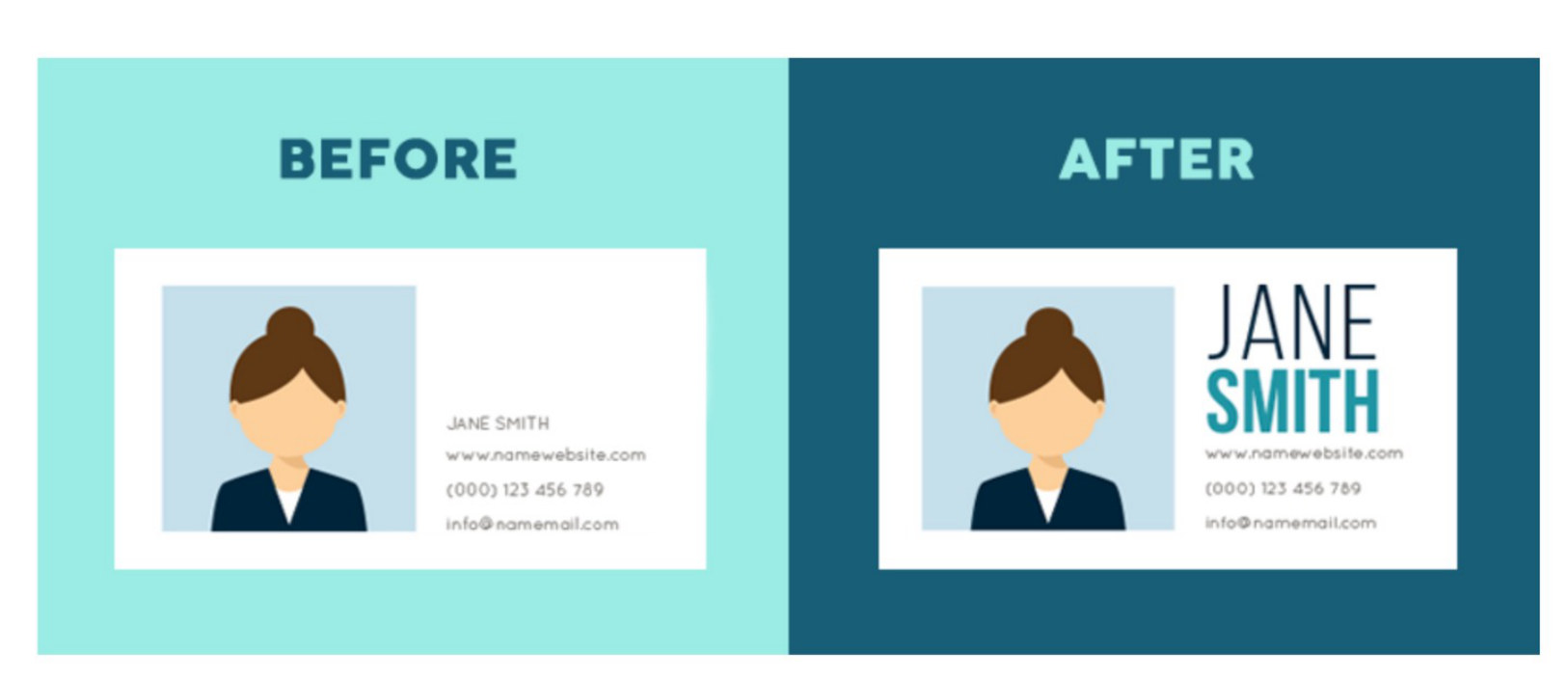
5.9.6 Using Font to Organize Design
The size and weight of the type set the order in which text is read.
5.9.7 Balance and Alignment
Balance and alignment are used to create harmonious visuals that do not distract from the message being communicated.
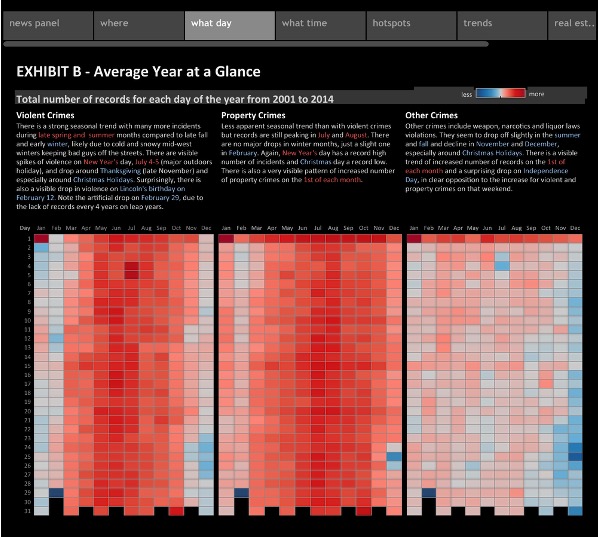
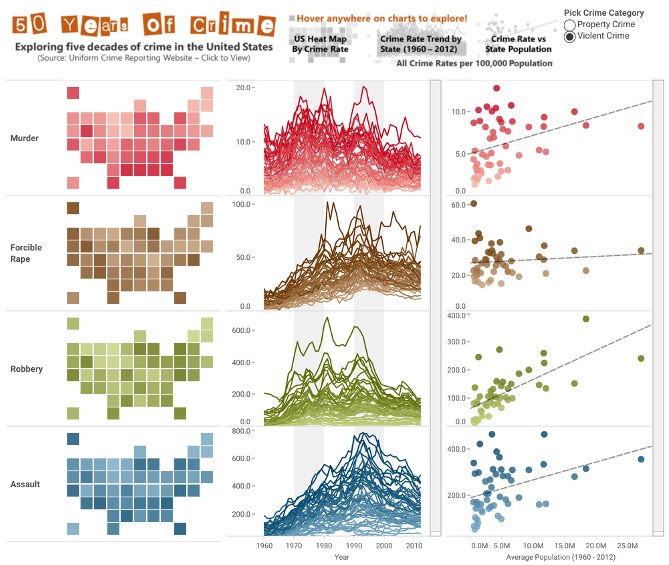
5.9.8 Grouping and Spacing
Grouping and spacing can be used to associate similar elements and provide a narrative or visual flow within the visualization.
5.10 Consume and Practice
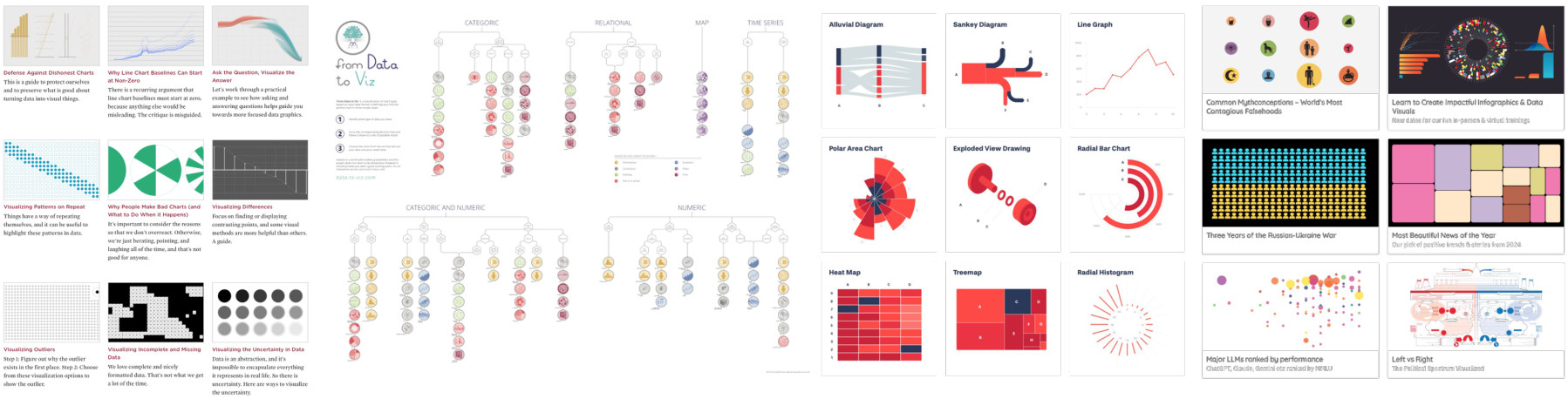
The end of the principles is the start of practice: looking at many good visualizations and making your own matter more than any list of rules.
- FlowingData: https://flowingdata.com/learning/
- From Data to Viz: https://www.data-to-viz.com/
- Data Viz Project: https://datavizproject.com/
- Information is Beautiful: https://informationisbeautiful.net/
5.11 Critique and Deceptive Visualization
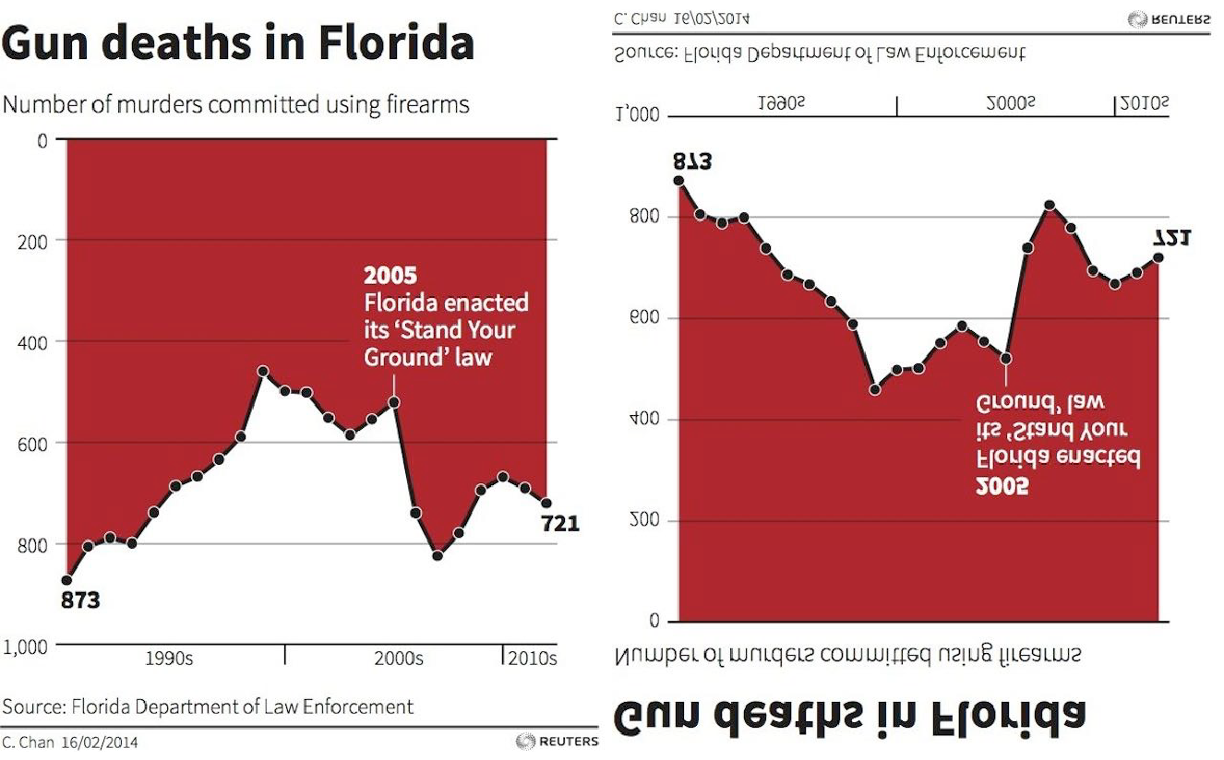
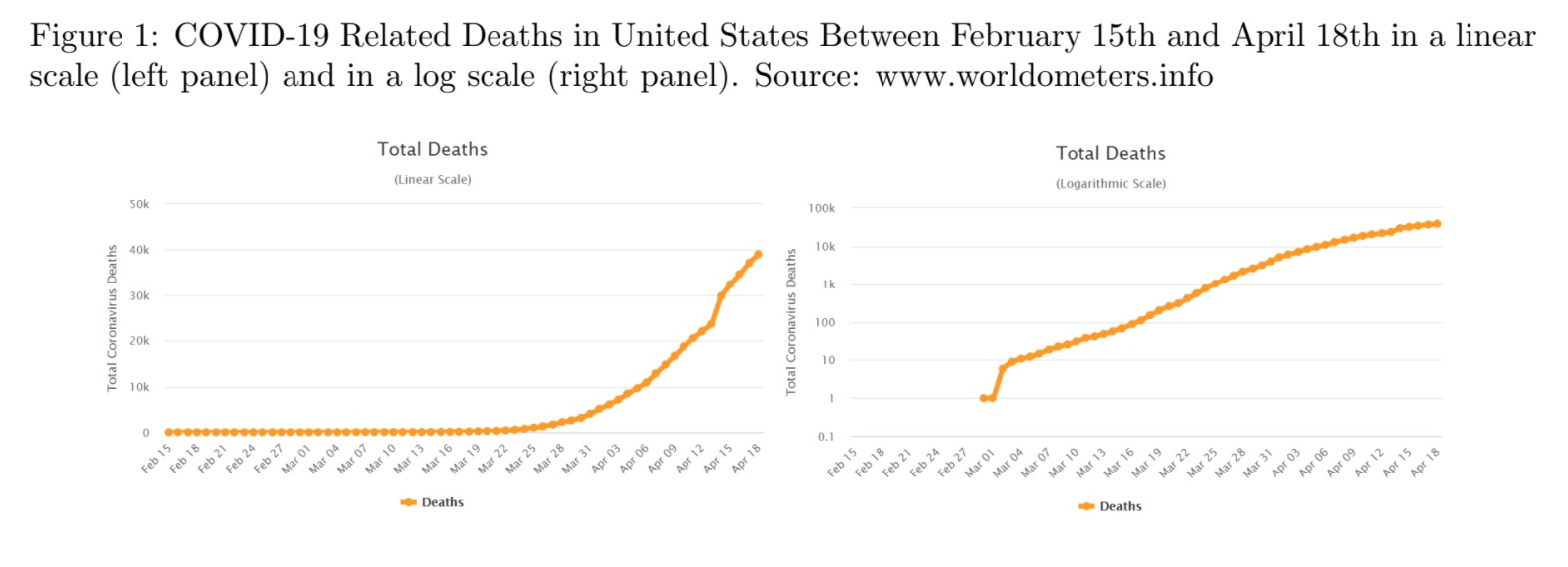
Visualization is a way to communicate. People can also use it to lie, distort the truth, or mislead, intentionally or unintentionally. What makes bad figures bad?
- Aesthetic: tacky, tasteless, or hodgepodge design.
- Substantive: the way the data are used is subpar, or the data themselves are flawed; a wrong interpretation.
- Perceptual: good data and aesthetics, but the graph is confusing or misleading.
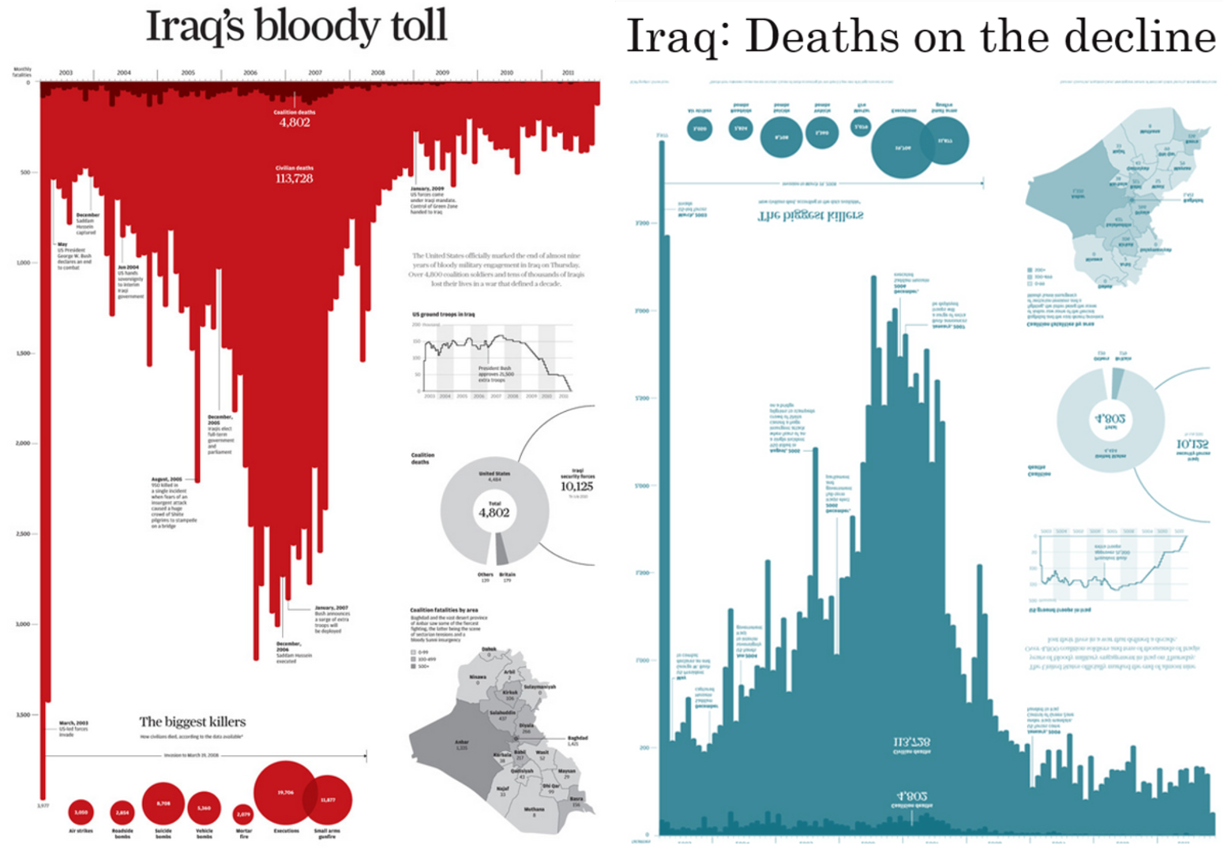
5.11.1 Iraq’s Two Stories
The same data can tell opposite stories through design choices: the title, the color, and the orientation of the bars. First, the title tells readers how to read the chart: three words, “Iraq’s Bloody Toll,” set the author’s agenda. Second, the bars hang downward. Finally, they are red, so the chart looks like blood dripping down the page.
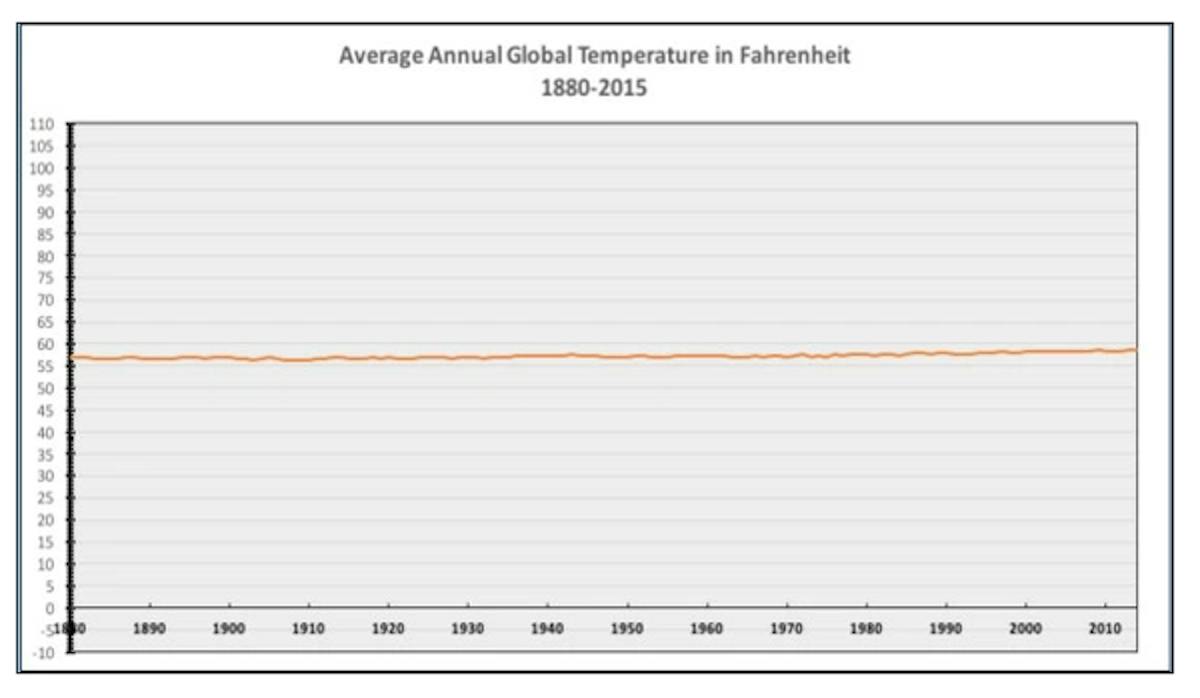
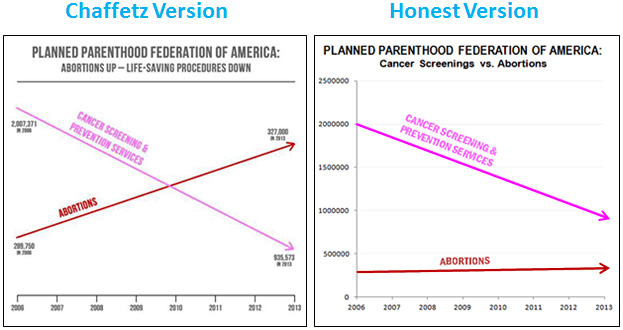
5.11.2 Truncated Axis
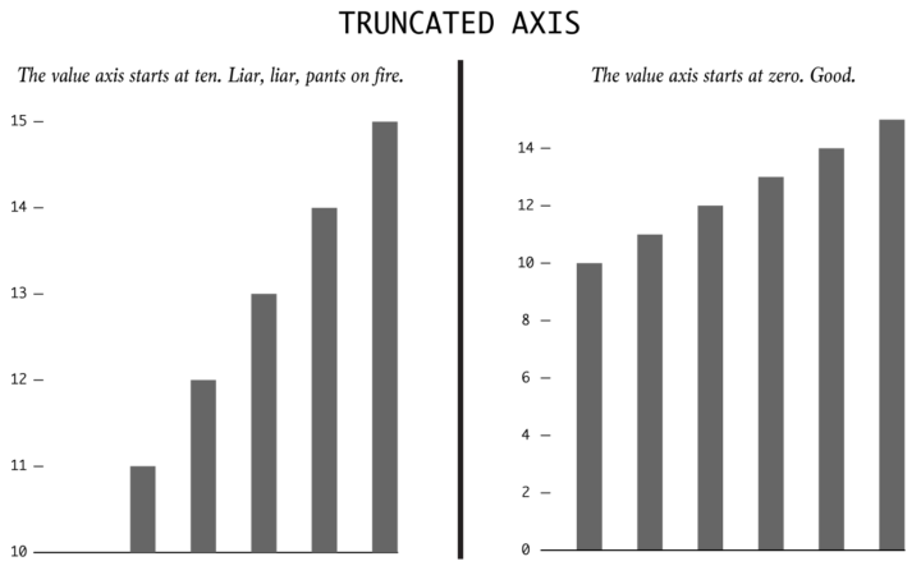
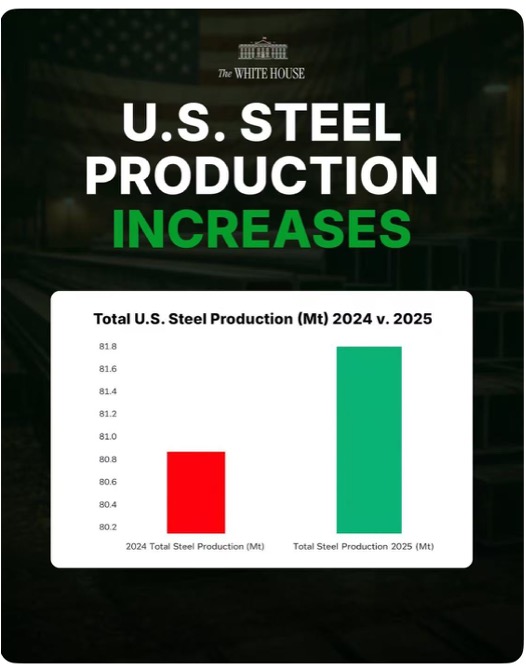
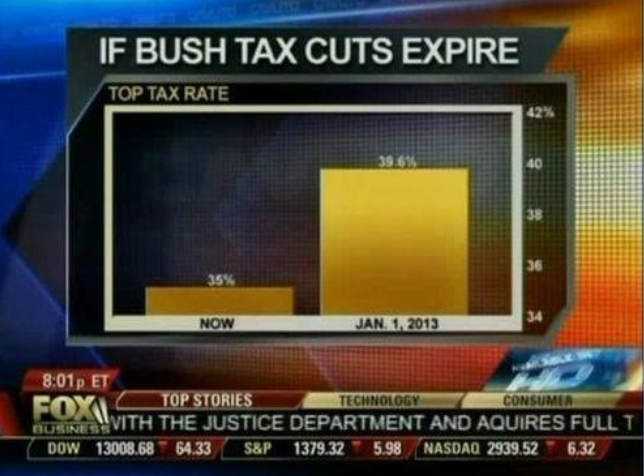
A bar chart encodes values as length. If the value axis starts above zero, every bar is cut short by the same amount, so small differences look large. Note: the following sections are largely based on Nathan Yau’s website, FlowingData.
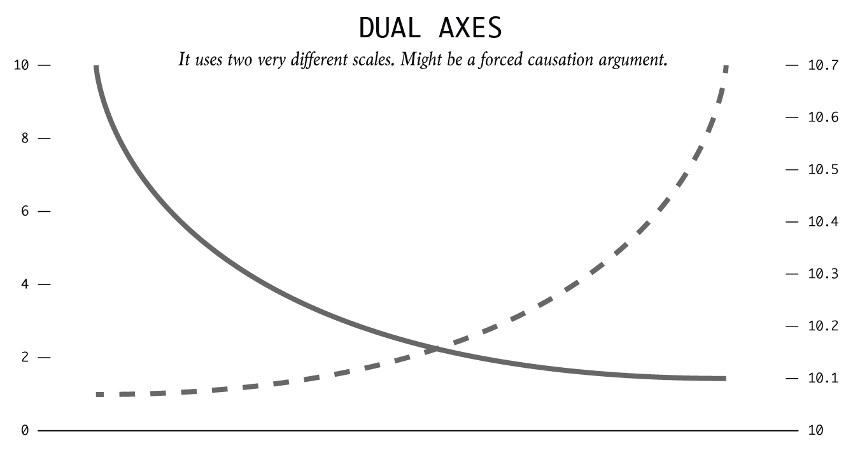
5.11.3 Dual Axes
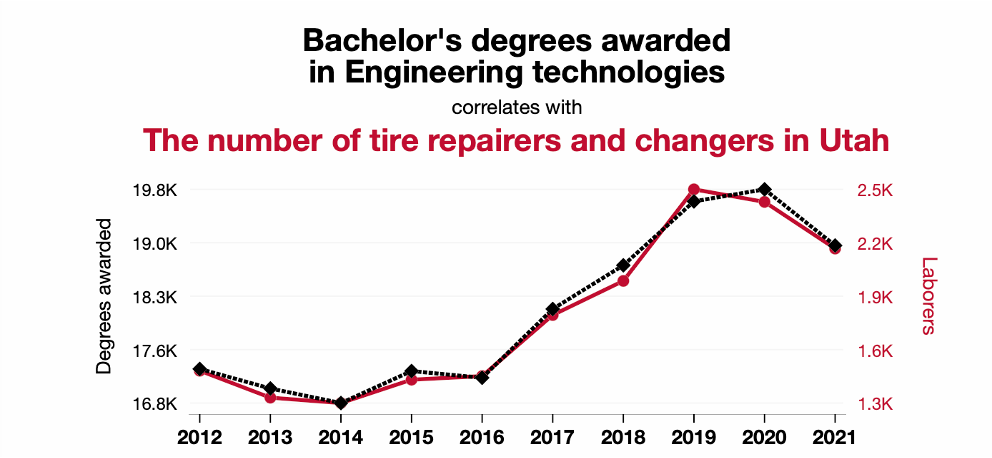
With two value axes, each series can be stretched or squeezed on its own scale, so two unrelated trends can be made to move together. The chart then invites the reader to see a correlation, or even a cause, that may not be there.
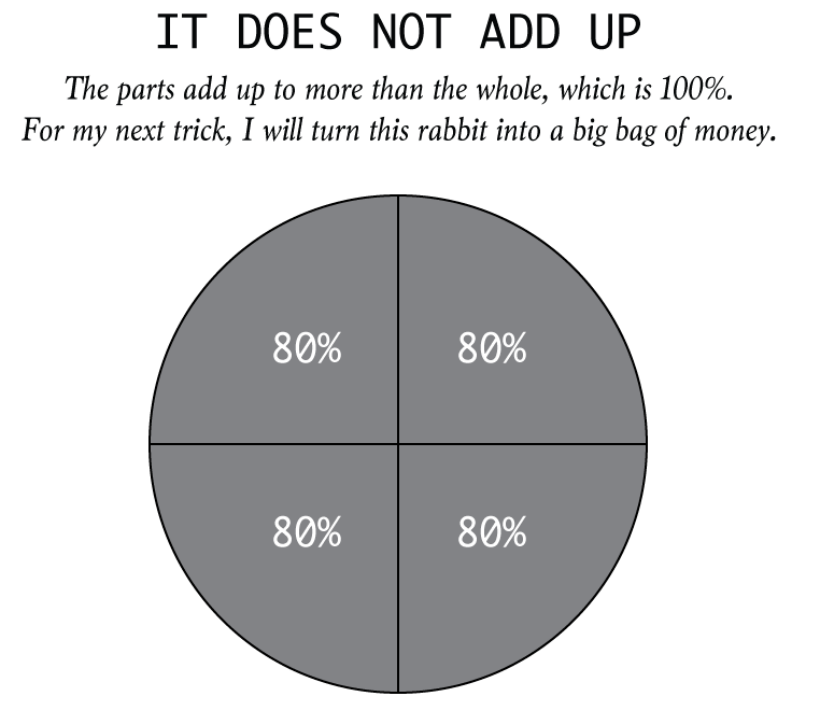
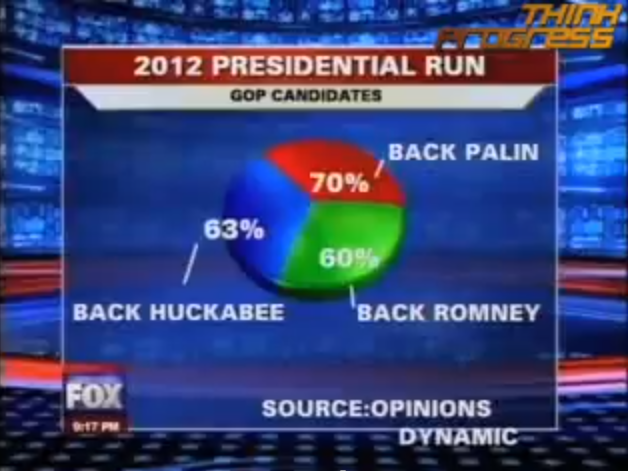
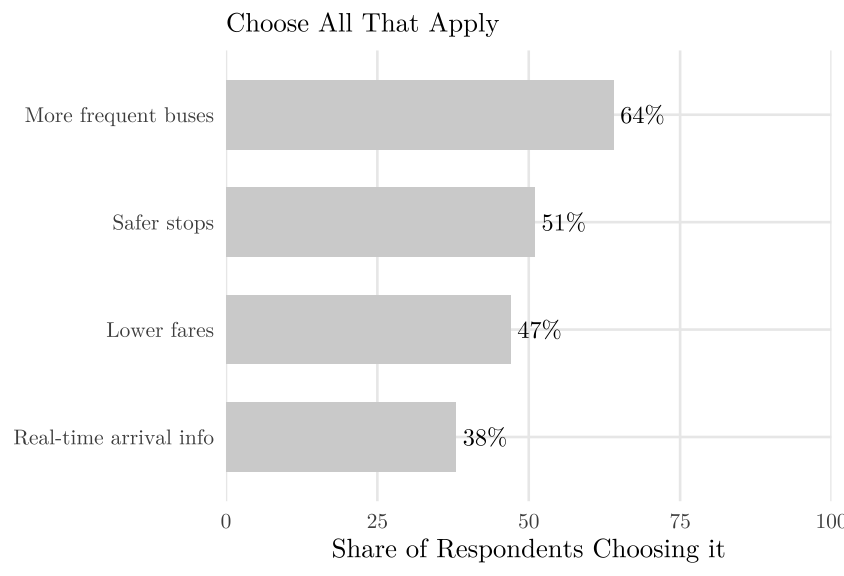
5.11.4 Parts That Add Up to More Than the Whole
A chart of the parts of a whole, such as a pie, promises that the parts sum to 100 percent. When they sum to more, the chart is wrong.
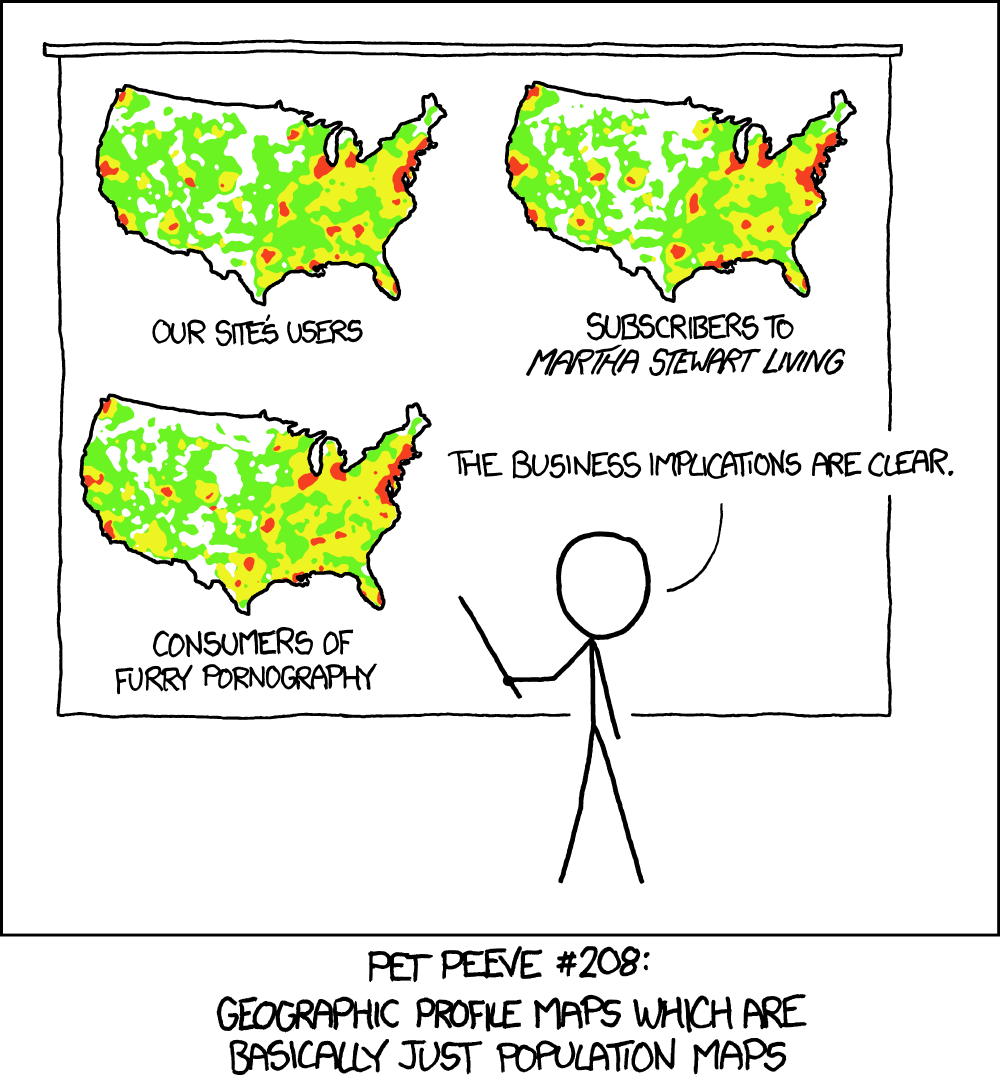
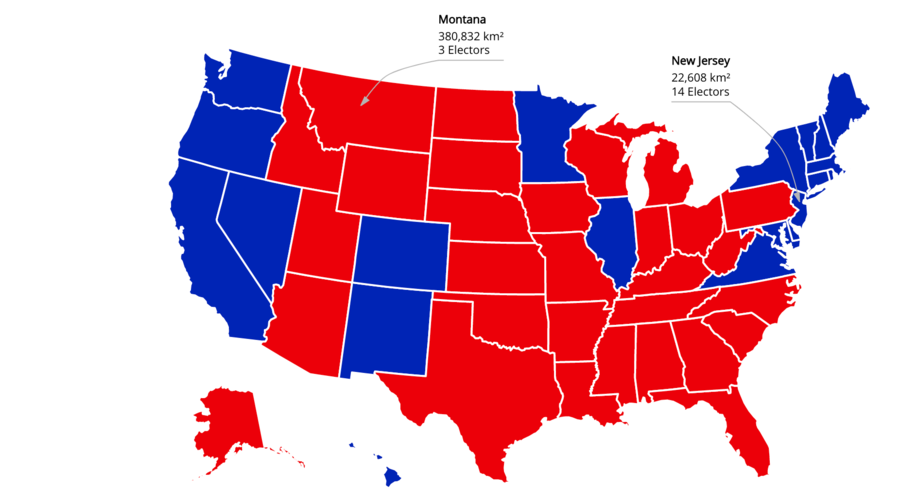
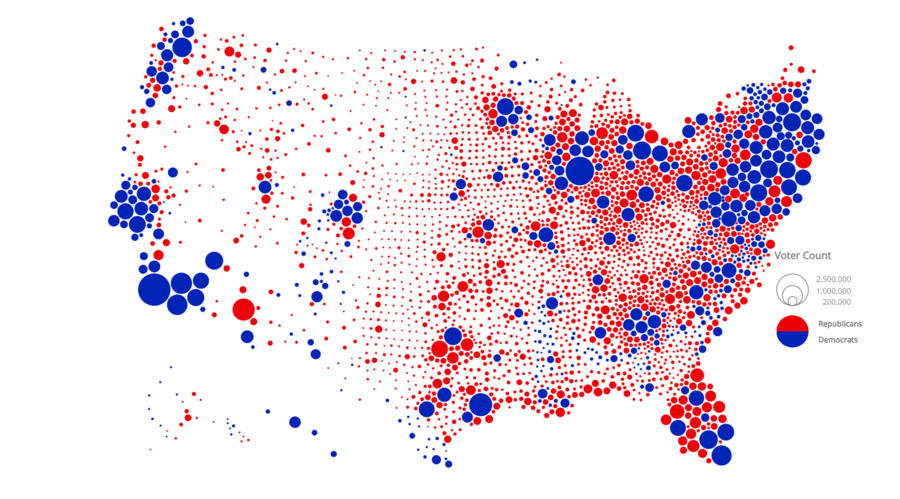
5.11.5 Seeing Only in Absolutes
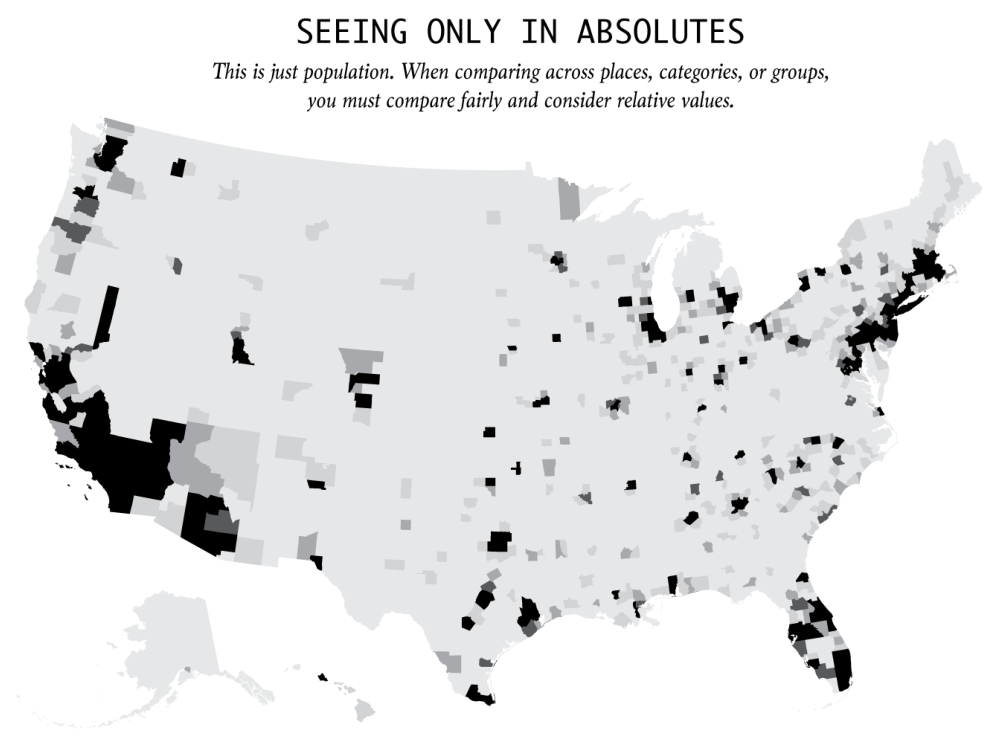
Everything is relative. A town with two robberies is not more dangerous than a town with one if it has 1,000 times the population of the other. Rates and percentages usually say more than absolute counts and totals.
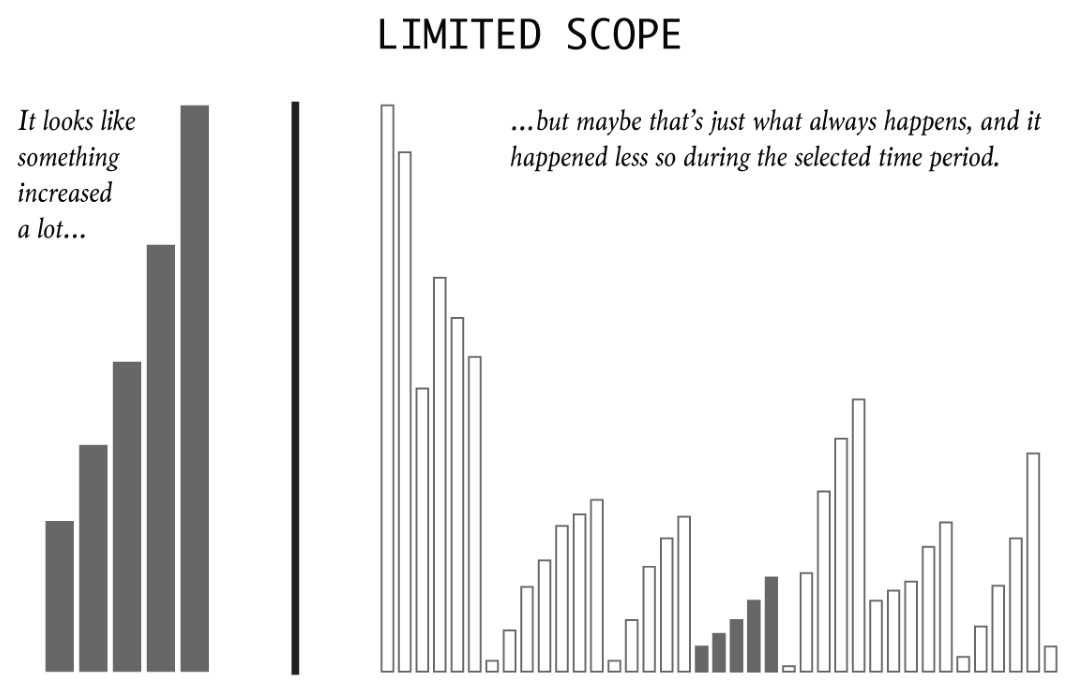
5.11.6 Limited Scope
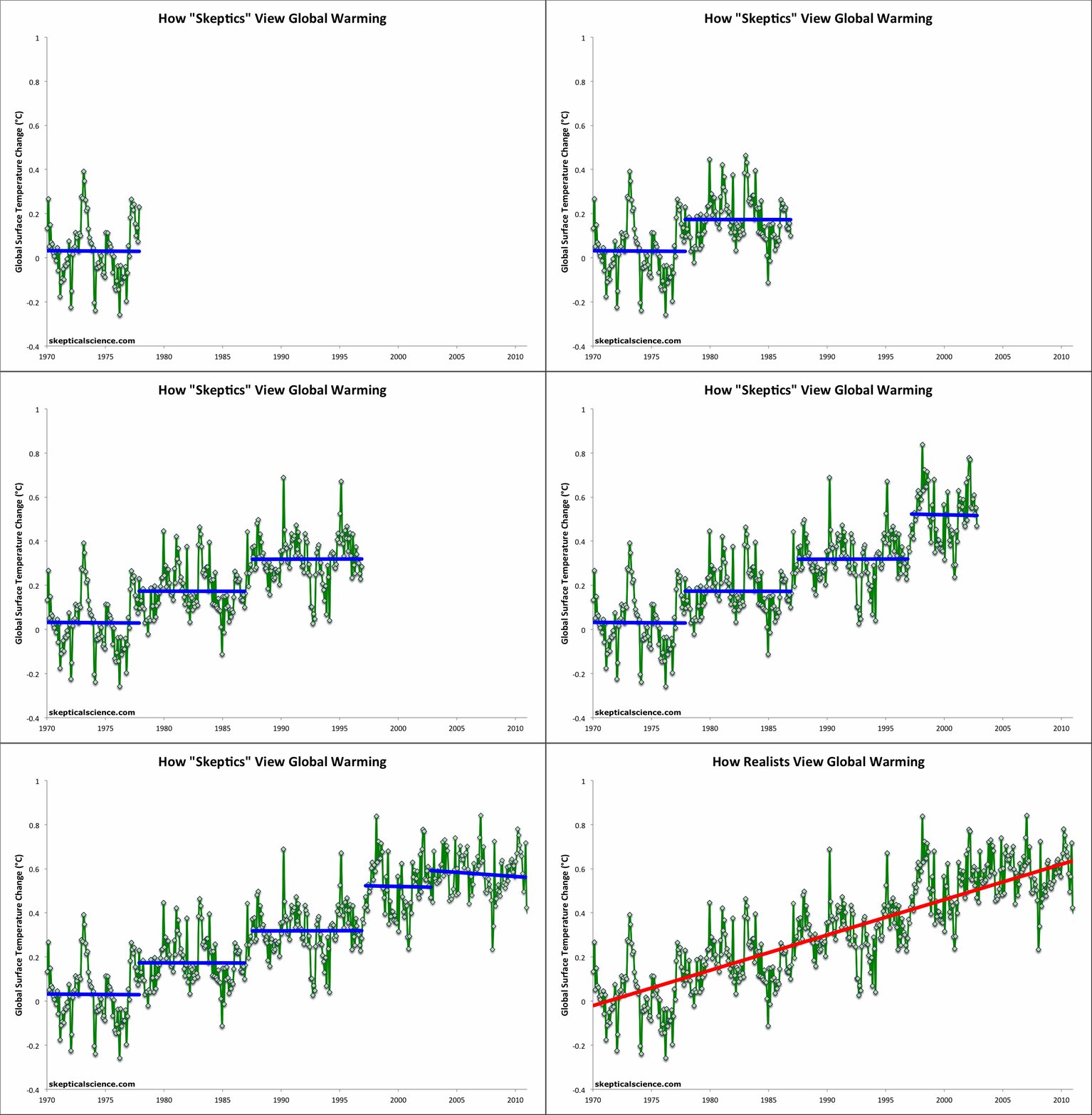
A short window of time can be picked to fit almost any story. Compare against the longer history, what usually happens, and a proper baseline.
5.11.7 Area Sized by One Dimension
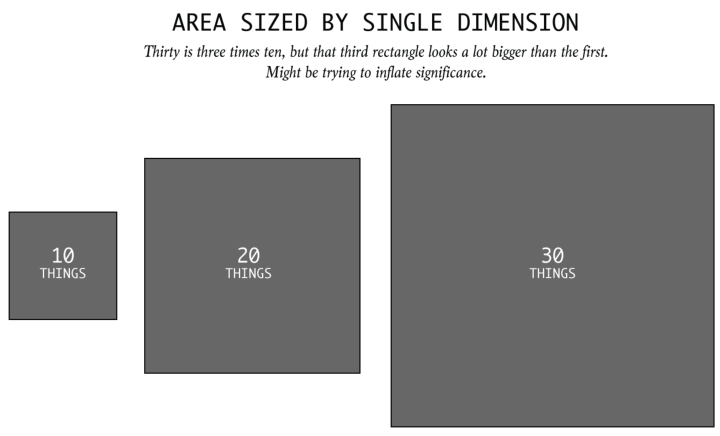
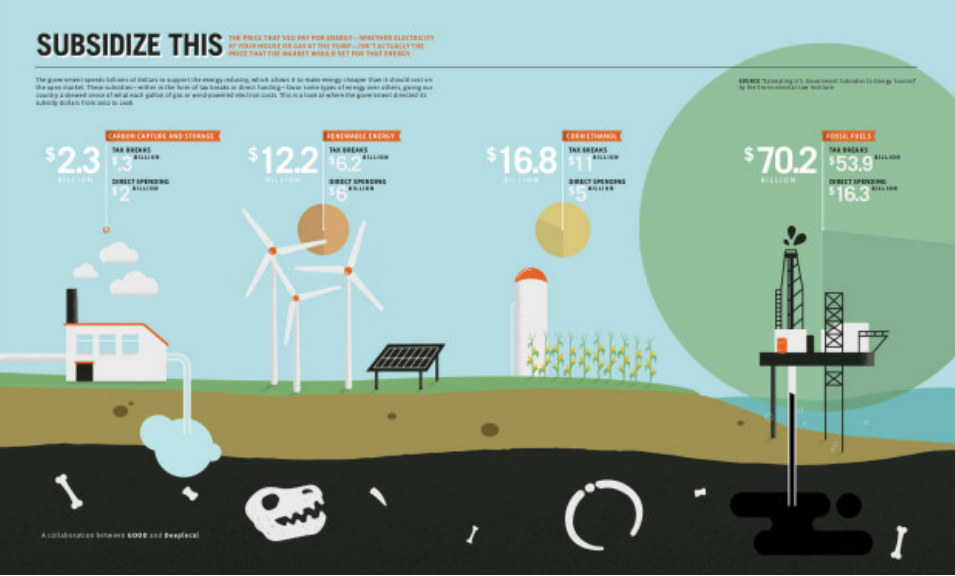
If area is the encoding, size by area. When a square or a circle is sized by its side or radius instead, its area grows with the square of the value, so differences look far larger than they are.
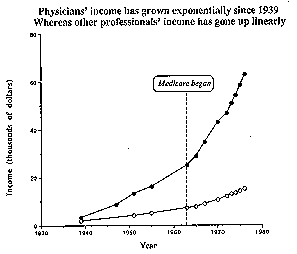
5.11.8 Rubber-Band Scales
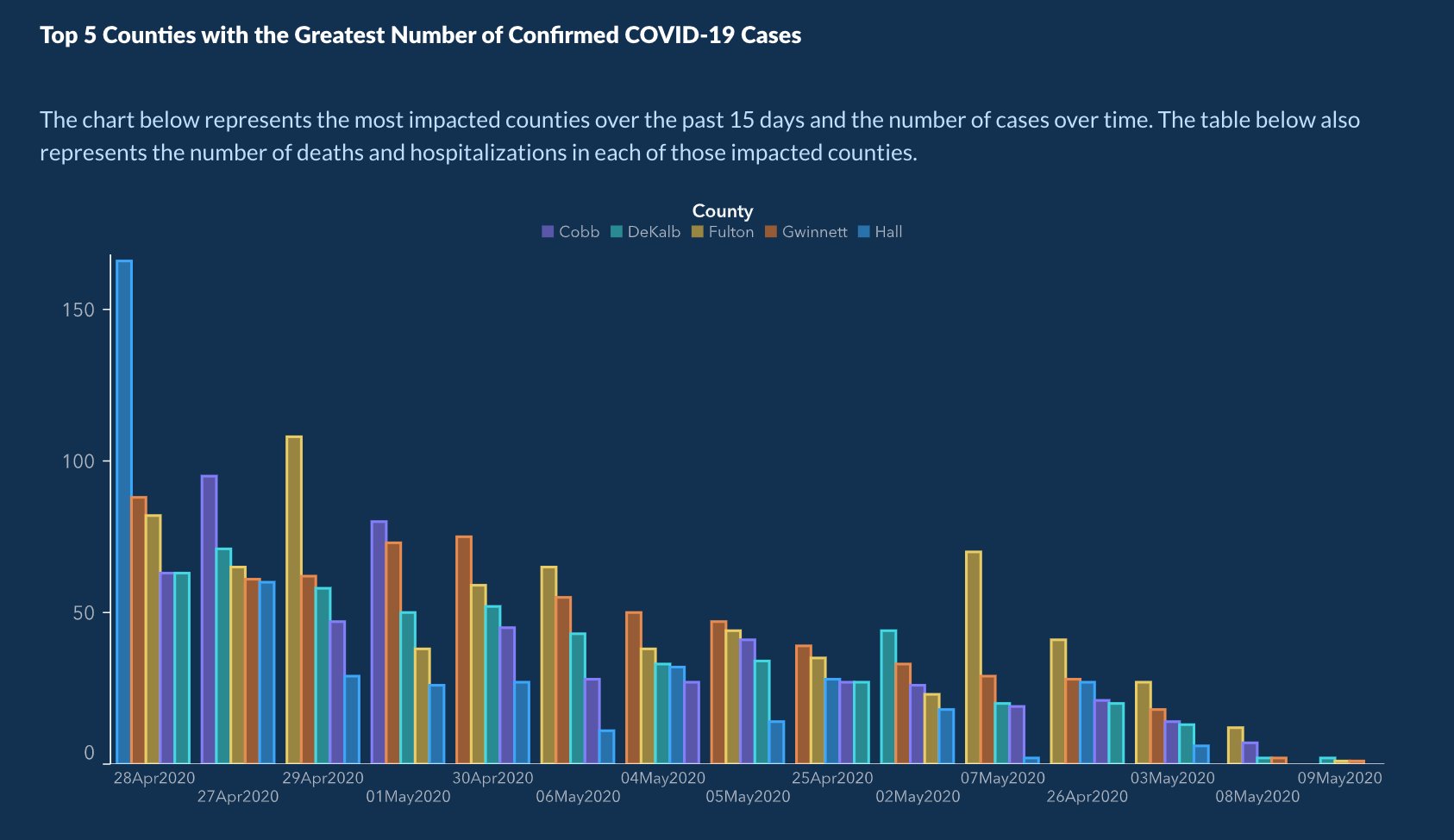
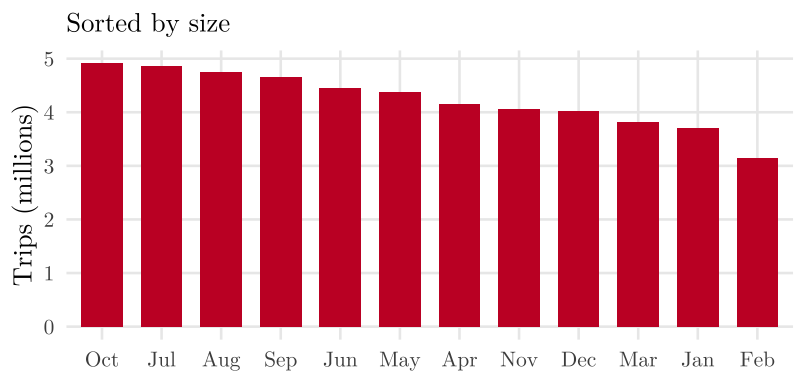
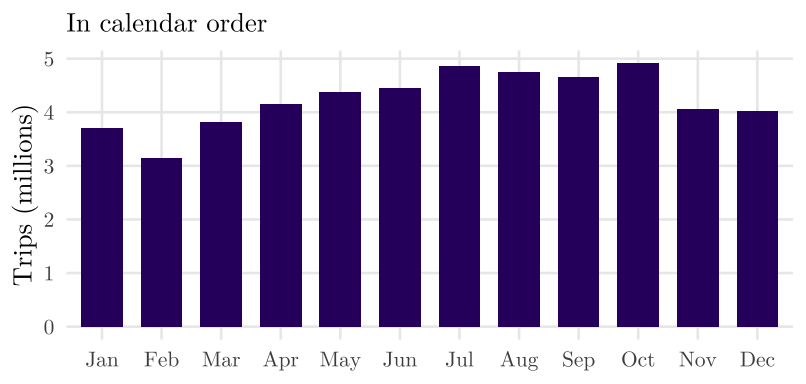
5.11.9 Time Out of Order
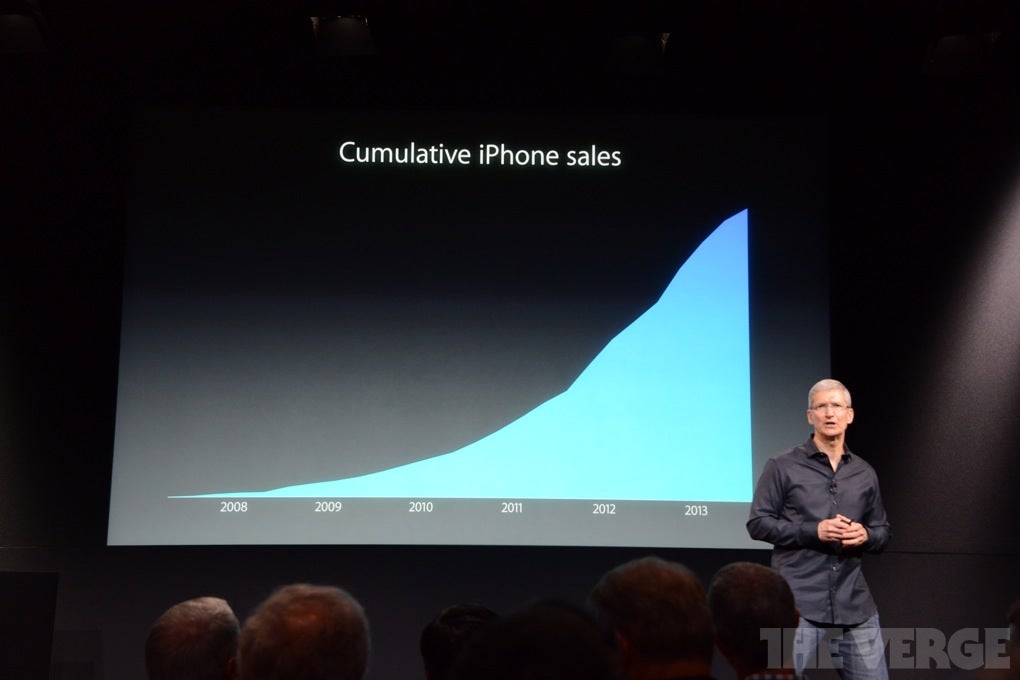
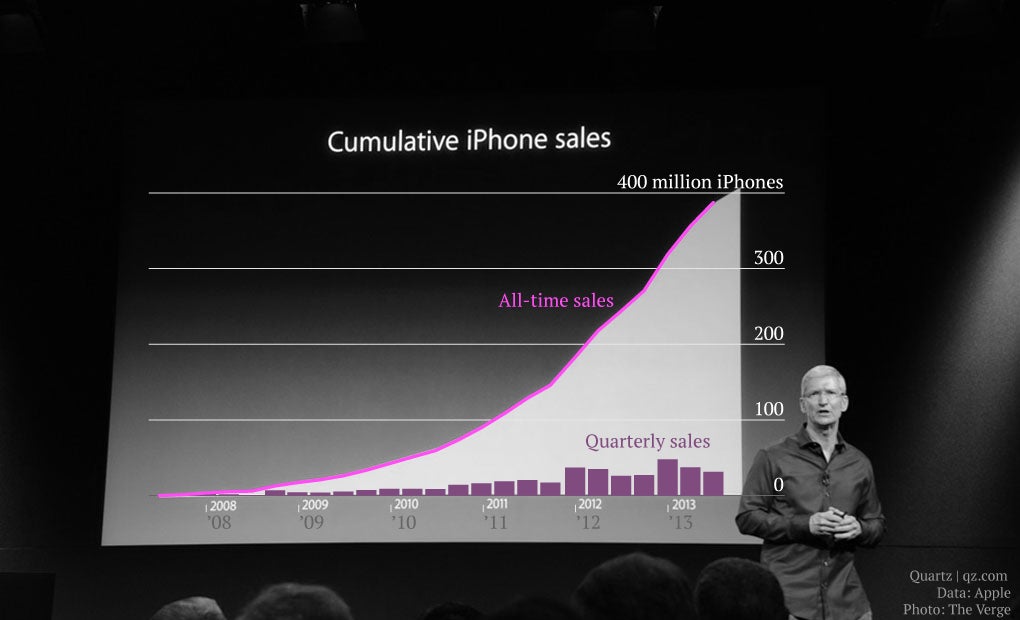
5.11.10 Cumulative Totals
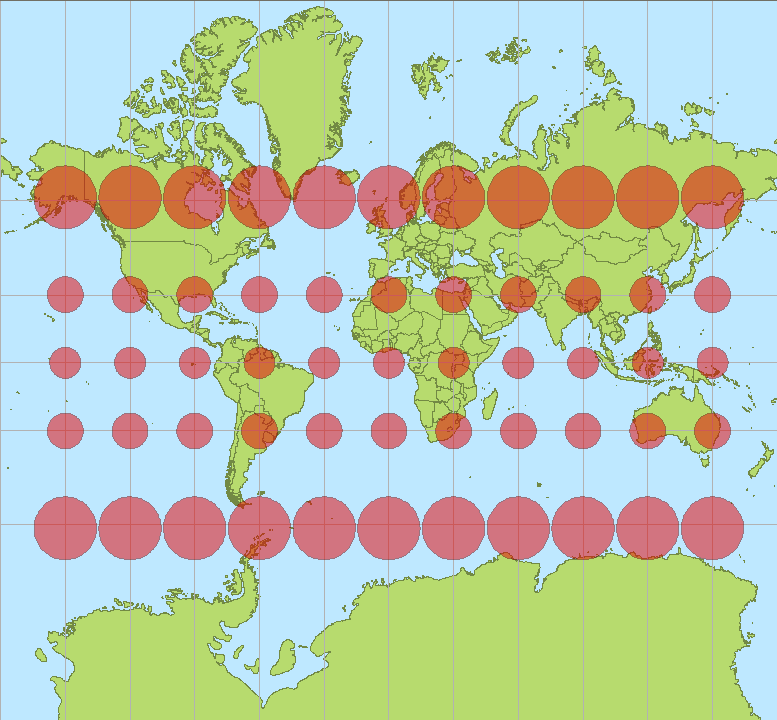
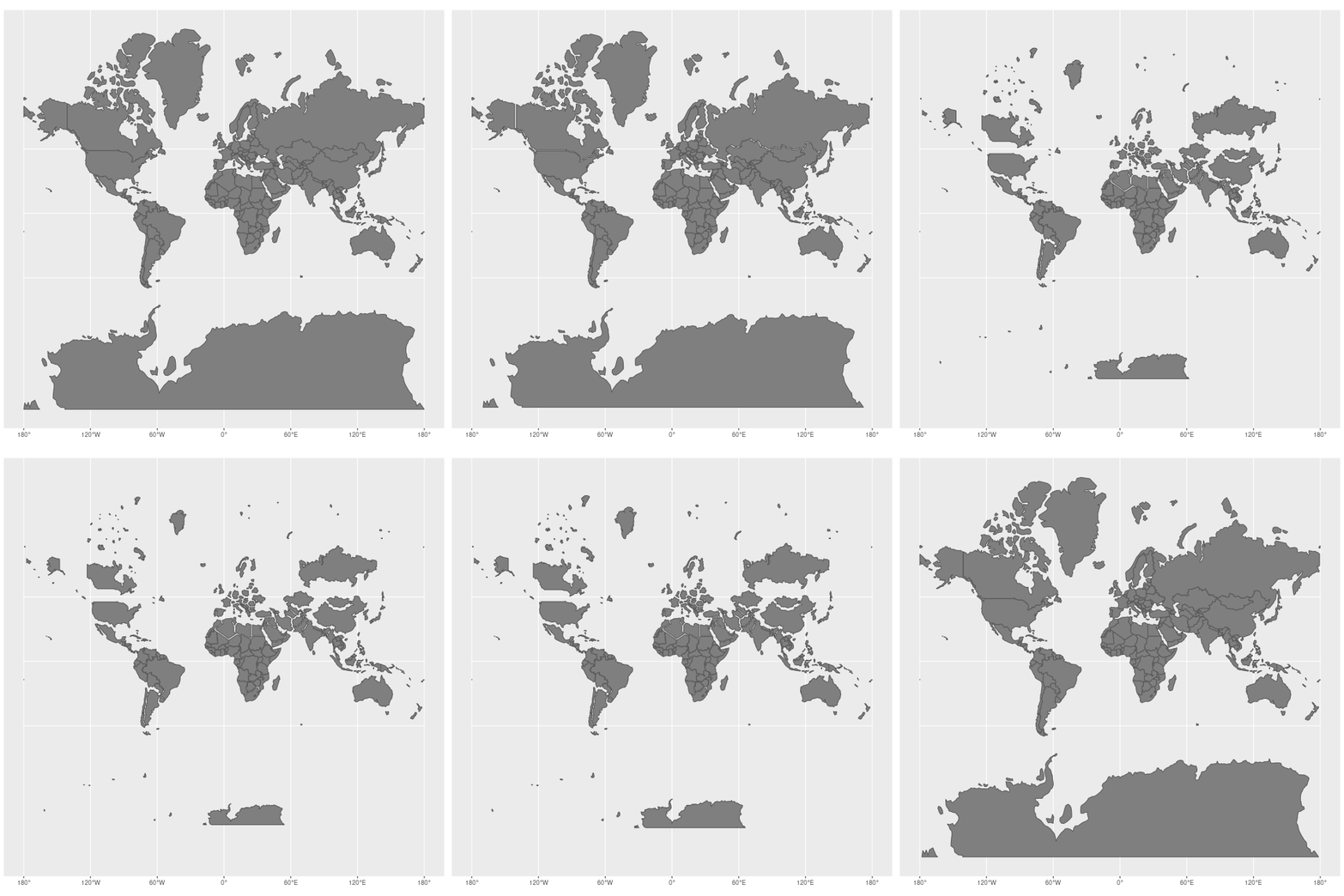
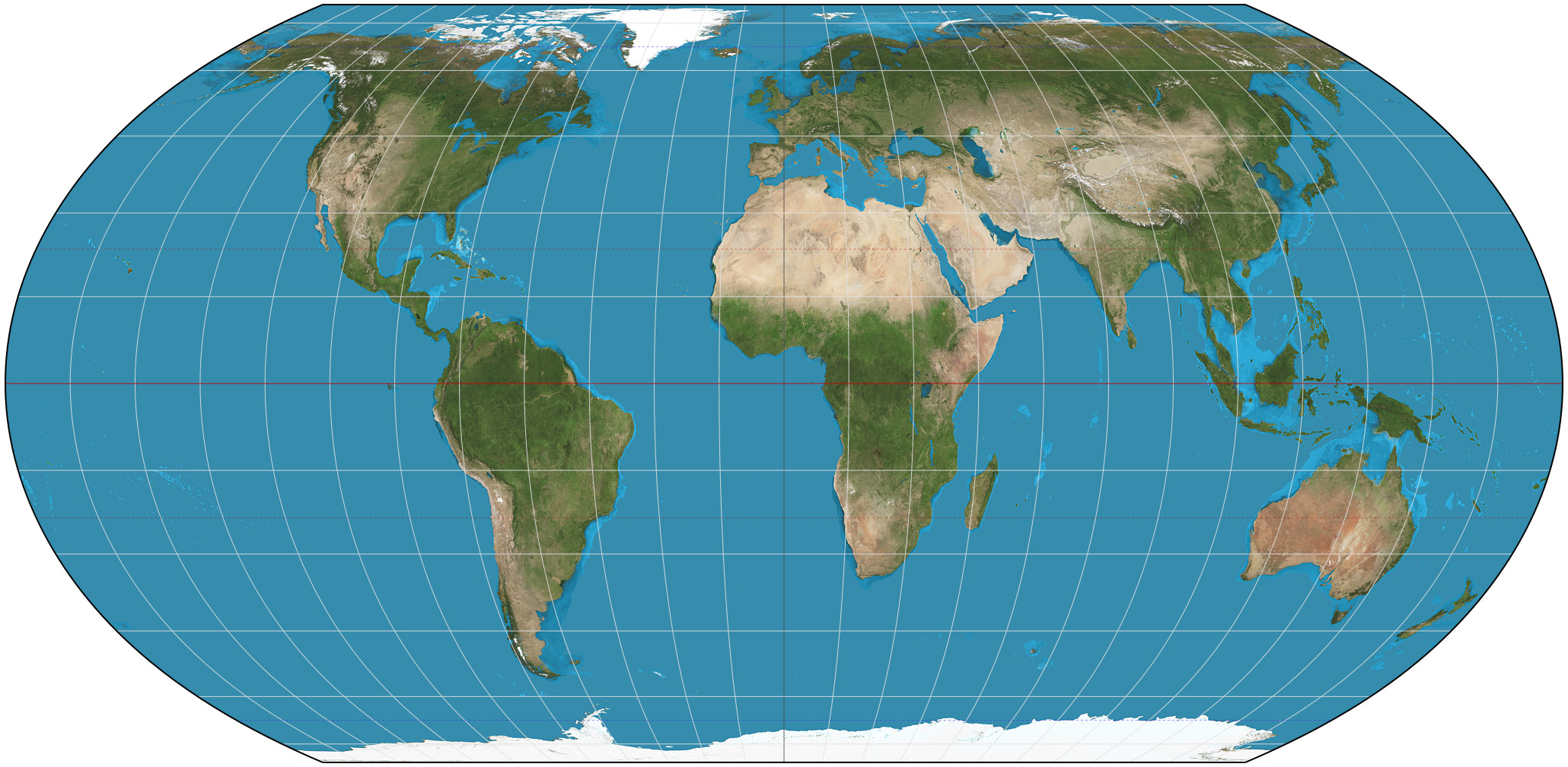
5.11.11 Map Projections



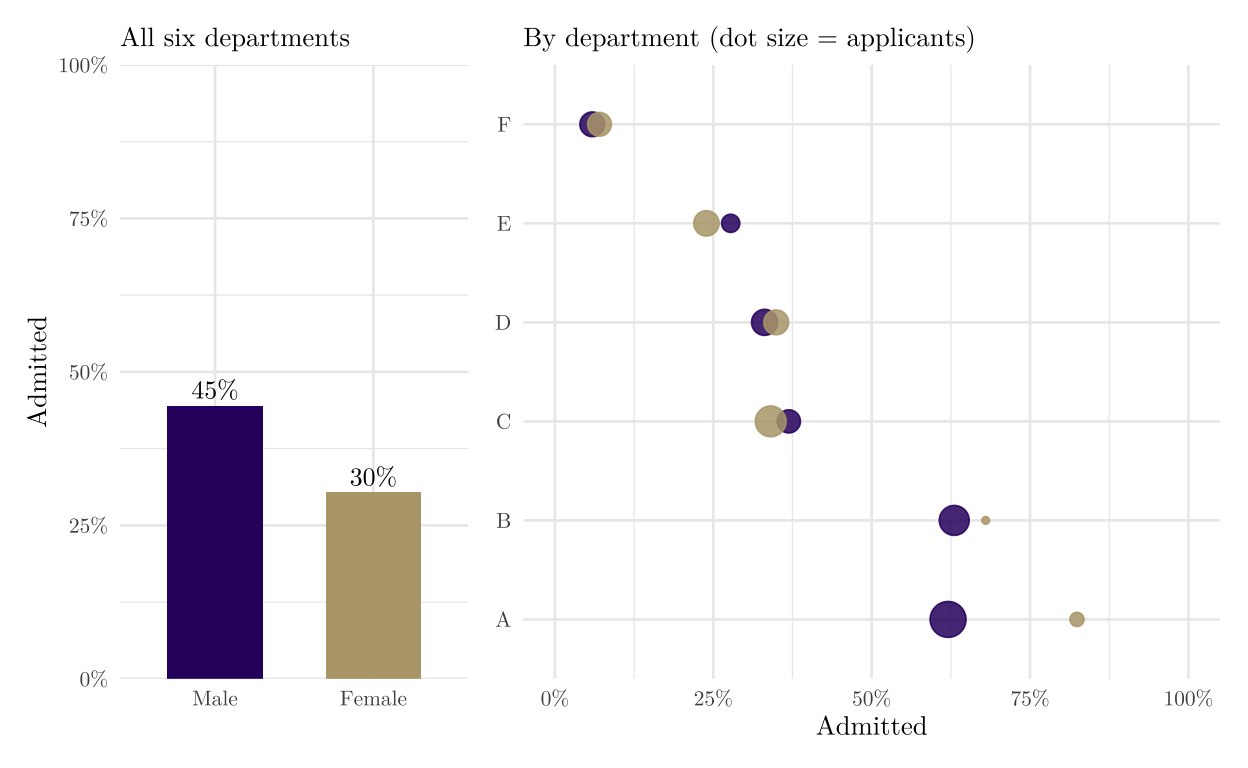
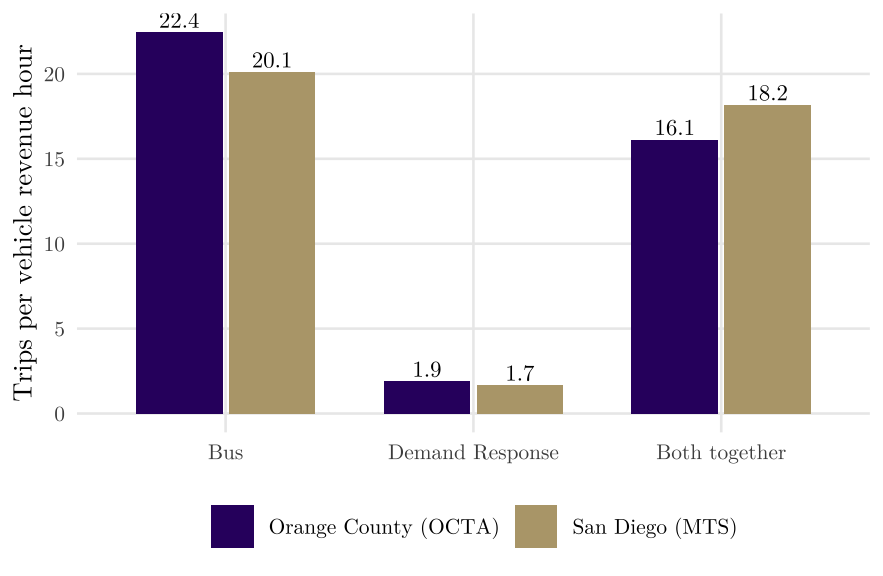
5.11.12 Aggregation Hides the Groups
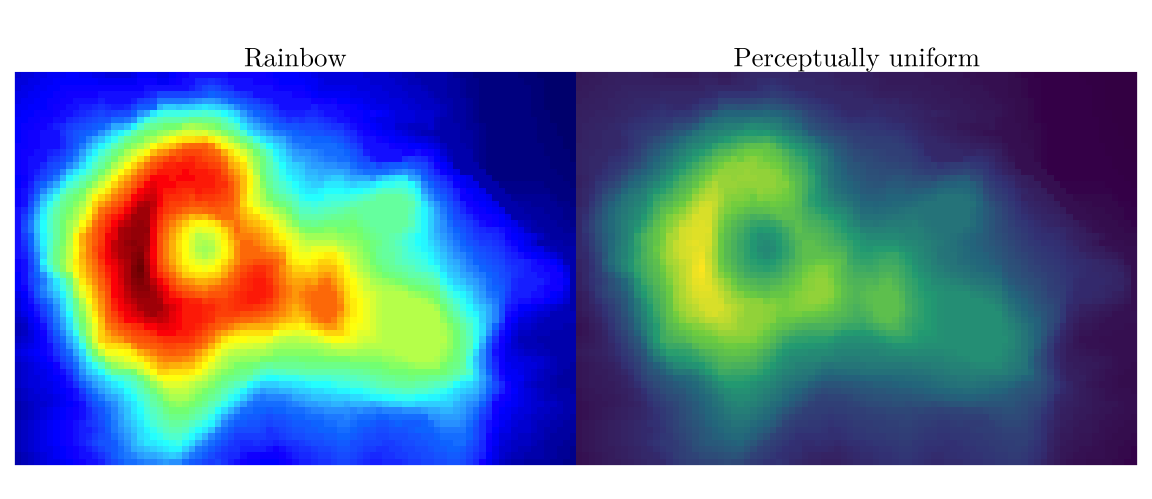
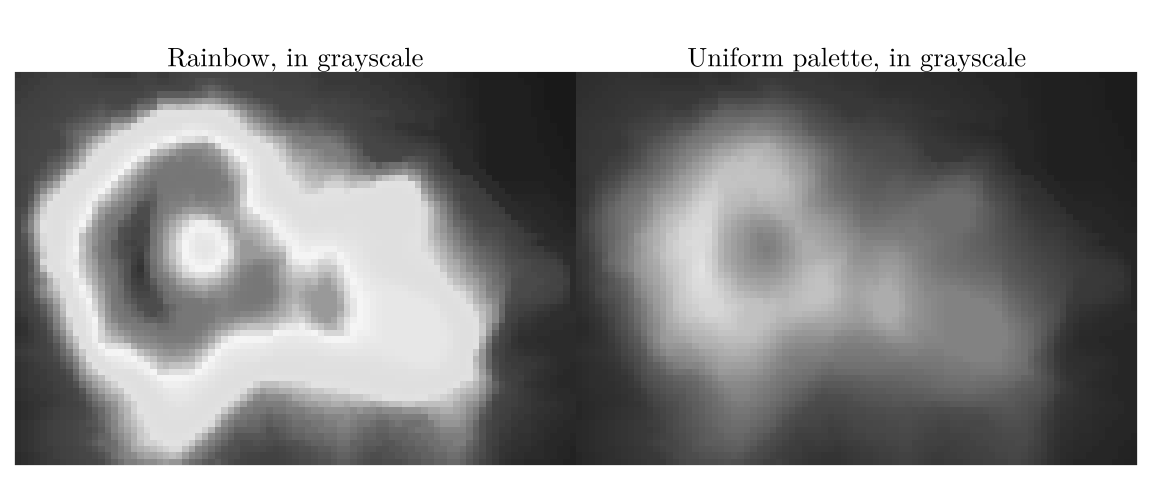
5.11.13 Rainbow Color Scales